Tutorial
Workshop: Deploy a Java microservices application to IBM Cloud Code Engine
Run, monitor, and log a containerized app on the managed serverless platformArchive date: 2023-03-01
This content is no longer being updated or maintained. The content is provided “as is.” Given the rapid evolution of technology, some content, steps, or illustrations may have changed.This workshop addresses the topic of containerized applications on the IBM Cloud Code Engine managed serverless platform. The labs provide you with a basic understanding of the following topics:
- How to deploy an existing Java microservices containerized application to Code Engine by using the Code Engine CLI
- Internal and external HTTP/HTTPS routing between the microservices
- Out-of-the-box monitoring for the example application
- Out-of-the-box logging for the example application
Note: This workshop does not cover every aspect of running an application or job on Code Engine. It's just about containerized applications.
Prerequisites
To follow the workshop labs, you must have an IBM Cloud Pay-As-You-Go account to access Code Engine, IBM Cloud Monitoring, and IBM Cloud Log Analysis.
You should also have a basic understanding of containerized applications.
Estimated time
This beginner level workshop should take you about one hour to complete.
Architecture
This workshop is related to the Cloud Native Starter project.
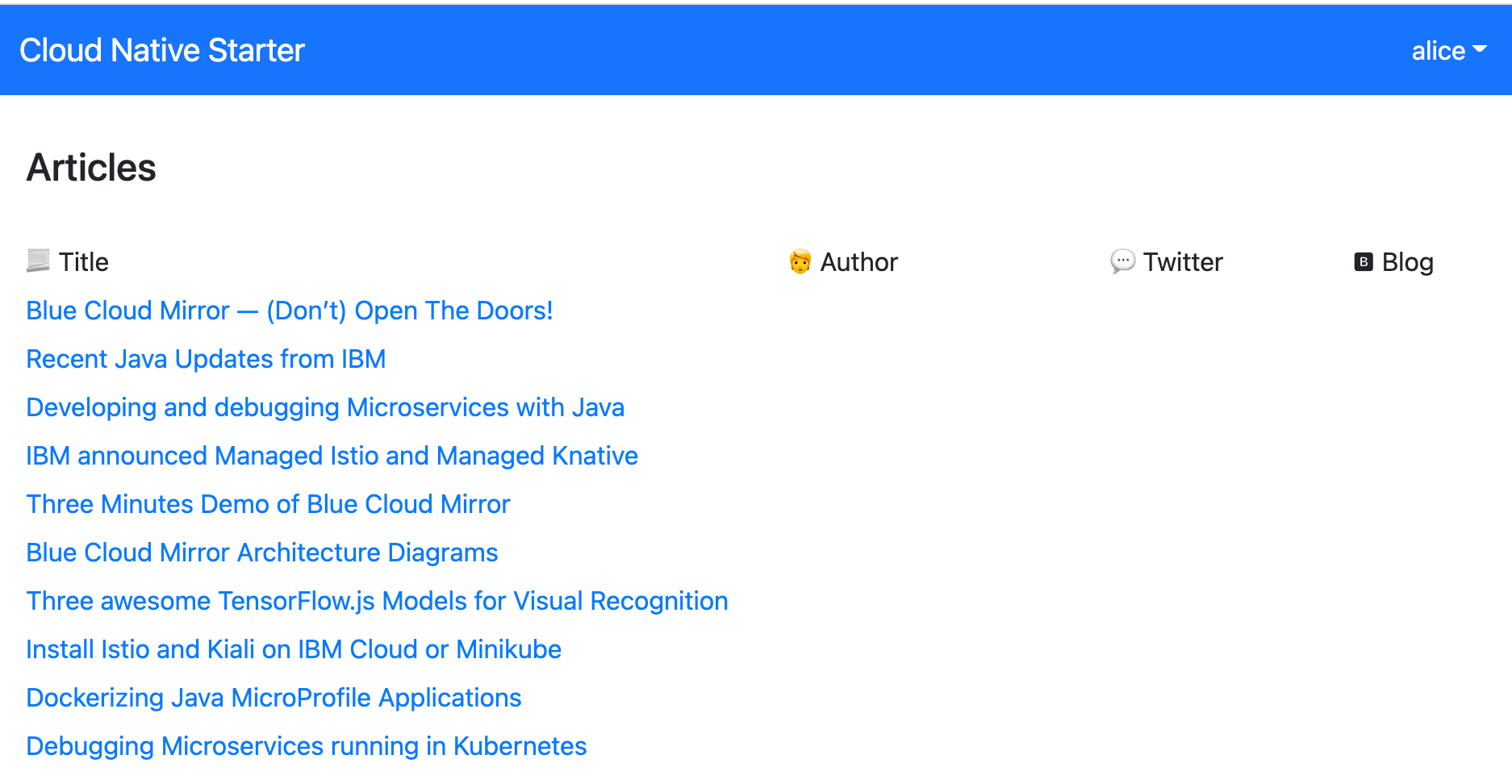
The example application simply shows articles protected with an identity and access management (IAM) framework. In the following picture, you can see the front end of the application with the titles of the articles and the valid user, named alice, is logged on.
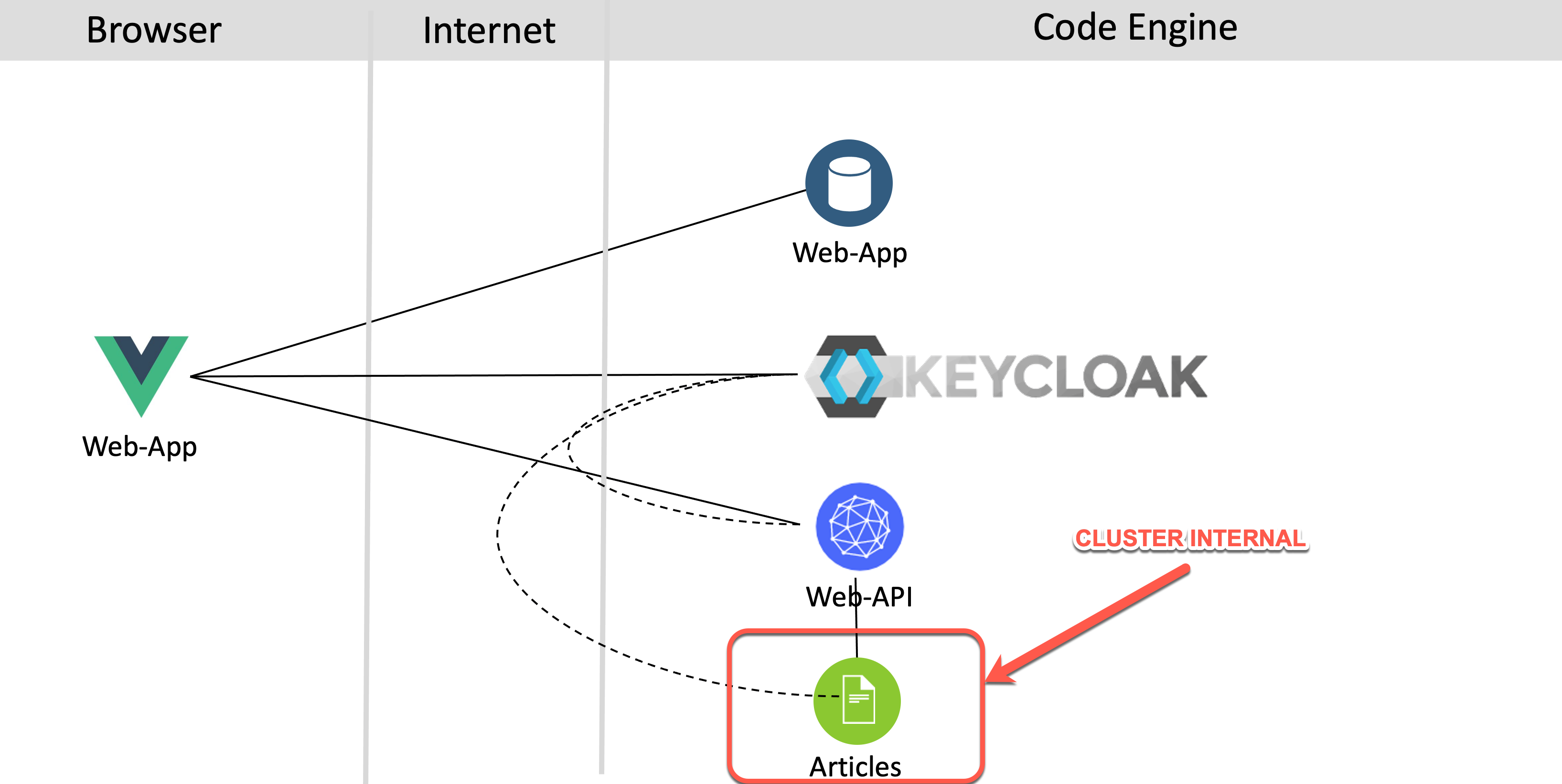
The following diagram shows the architecture of the example application. There is a front-end web application (web-app) that serves the JavaScript and Vue.js code to the browser. The web-app code that is running in the browser invokes a REST API of the web-api microservice. In turn, the web-api microservice invokes a REST API of the articles microservice. Keycloak is used for the IAM of that microservices-based application. To see the results in the web application, users must be authenticated and have the role of user. The following image shows the dependencies of the example.
External and internal routing
For context, it's useful to have a basic understanding of the routing for the example application. Based on the application functionality, you need three external routes. Each external route communication is automatically secured with a TLS encryption created by Code Engine with Let's Encrypt. The three applications are:
- The
web-appthat is loaded into the browser - The
keycloakthat must be available for authentication and authorization to your application, and for potential IAM configuration - The
web-apimicroservice that provides thearticlesdata and is invoked by theweb-app
The articles microservice doesn't need to be invoked externally, so it's configured to provide only an internal route, which is used by the web-api microservice to get the articles from it.
Deployment basics
To ease your deployment, I prebuilt containers and pushed them to a Quay container registry. In the following table, you see the application (container), the exposed routes, uses of TLS encryption, the scale-to-zero configuration, the container registry where the prebuilt container comes from, the configuration for vCPU and GB memory, and the min and max instances for the applications.
| Application | Route | TLS encryption | Scale to zero | Container registry | vCPU | Memory | Min instances | Max instances |
|---|---|---|---|---|---|---|---|---|
| web-app | external | yes | yes | Quay | 0.5 | 1 GB | 0 | 1 |
| keycloak | external | yes | no | Docker | 0.5 | 1 GB | 1 | 1 |
| web-api | external | yes | yes | Quay | 0.5 | 1 GB | 0 | 1 |
| articles | internal | no (mTLS coming soon) | yes | Quay | 0.25 | 0.5 GB | 0 | 1 |
The keycloak application for the IAM framework is not configured to scale to zero because the application is stateful and contains the realm configuration, which is deleted if you restart the application.
Note: The project also contains the source code that you can use to customize to your own version of the microservices-based example application.
Labs
- Set up the example application
- Inspect the Code Engine project
- Monitor the applications
- Log the applications
- Clean up the example application