Tutorial
Turn BPMN diagrams into production‑ready agents with Bob skills and watsonx Orchestrate
A hands-on guide for using Bob skills to transform BPMN process models into SOP‑driven, fully tested, and deployable watsonx Orchestrate agents with best‑practice workflows, tools, and automation patternsTurning business process diagrams into working software usually takes time, specialized skills, and many handoffs between teams. Business analysts define workflows in models like Business Process Model and Notation (BPMN). Developers then spend weeks translating those models into code, validating logic, and fixing gaps between intent and implementation.
This tutorial shows a faster and more reliable path. Use IBM Bob skills to transform a BPMN business process into a fully working watsonx Orchestrate agent. Bob analyzes the process model, generates a clear standard operating procedure (SOP), and uses that specification to build agents, workflows, tools, tests, and deployment scripts.
By the end of this tutorial, see how business specifications can flow directly into executable automation. Also, see how Bob skills and watsonx Orchestrate MCP servers help reduce manual effort, enforce best practices, and let developers focus on review and customization instead of starting from scratch.
Watch Ahmed demonstrate the steps of this tutorial in this video.

Video will open in new tab or window.
Architecture of the automated order processing solution
The automated order processing solution uses an intelligent agent to manage the full order lifecycle. The agent performs order validation, inventory checks, payment processing, order shipping, and customer notification. The business process is defined using BPMN notation and includes a clear inventory decision that determines whether an order is completed or canceled.
The user submits an order request to the agent. The agent validates order details and checks inventory availability. If items are in stock, the agent processes payment, creates a shipment, and sends a confirmation message. If items are not available, the agent sends a cancellation notification. This tutorial follows a spec-driven development approach, where Bob skills convert business specifications into executable automation.
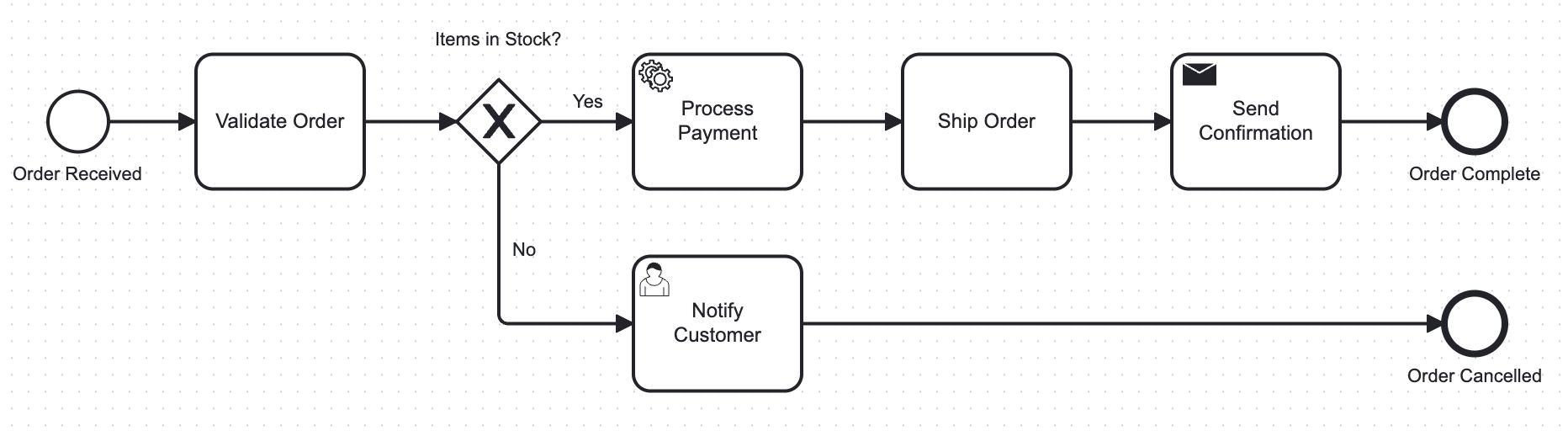
Bob analyzes the BPMN model and converts the business process into a working watsonx Orchestrate solution.
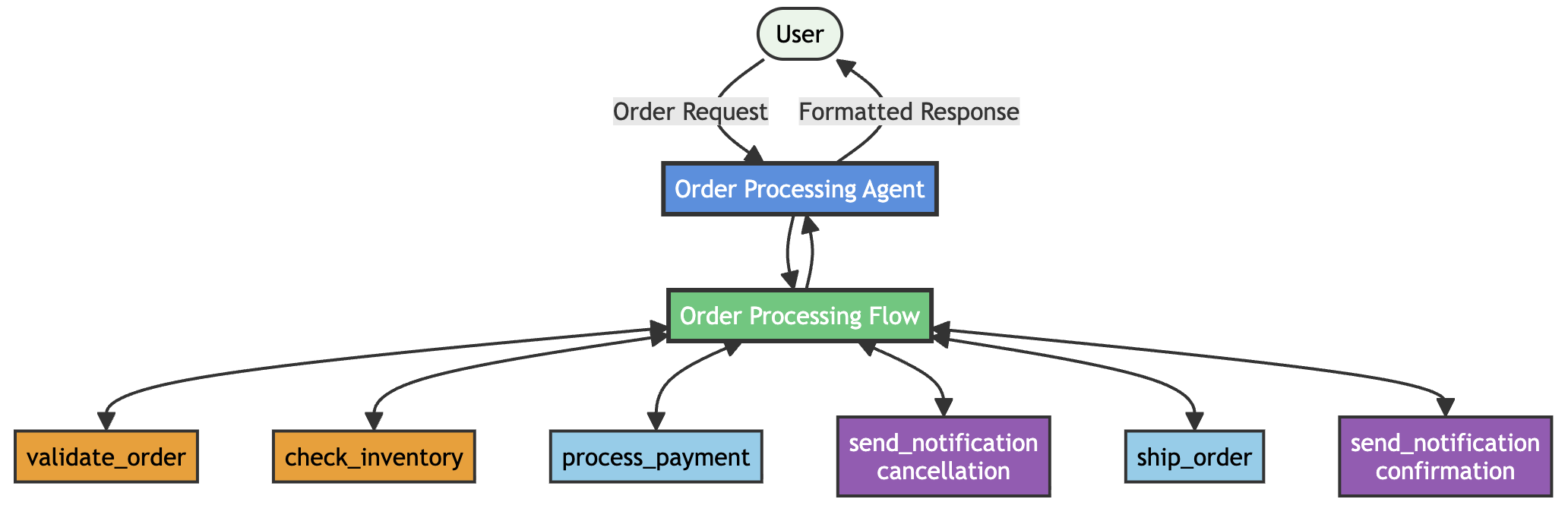
Bob creates the following components:
- Order Processing Agent: Receives customer orders and manages the full workflow from order validation to order fulfillment.
- Order Processing Flow: Implements the BPMN business logic. The flow includes conditional branching based on inventory availability.
Python Tools with Mock Integrations: Creates the following Python tools with mock integration logic:
- validate_order: Validates order completeness. The validation includes customer information, ordered items, delivery address, and payment method.
- check_inventory: Checks stock availability for all ordered items.
- process_payment: Processes customer payment and generates a transaction ID.
- ship_order: Creates a shipment, assigns a carrier, and generates a tracking number.
- send_notification: Sends customer notifications for order confirmation and order cancellation.
Together, these components form a complete watsonx Orchestrate architecture that implements the BPMN order process as an executable agent workflow.
Prerequisites
- IBM Bob. Sign up for your free trial.
- Python version 3.12.
- uvx command-line tool.
- watsonx Orchestrate Developer Edition. For installation instructions, see Installing watsonx Orchestrate Developer Edition.
Step 1. Create a Bob workspace and clone the watsonx Orchestrate ADK repository
In this step, create a workspace in the Bob IDE and clone the watsonx Orchestrate Agent Development Kit GitHub repository. The repository contains sample projects and required Bob skills. Access to these examples improves code quality and implementation accuracy.
- Open the IBM Bob IDE.
- Click File -> Open Folder.
- Click New Folder, name the folder wxo-sop-skills, and click Open.
- Open the Bob Terminal in the bottom pane. Use the terminal to clone the watsonx Orchestrate ADK GitHub repository.
Enter the following command in the Bob Terminal.
git clone https://github.com/IBM/ibm-watsonx-orchestrate-adk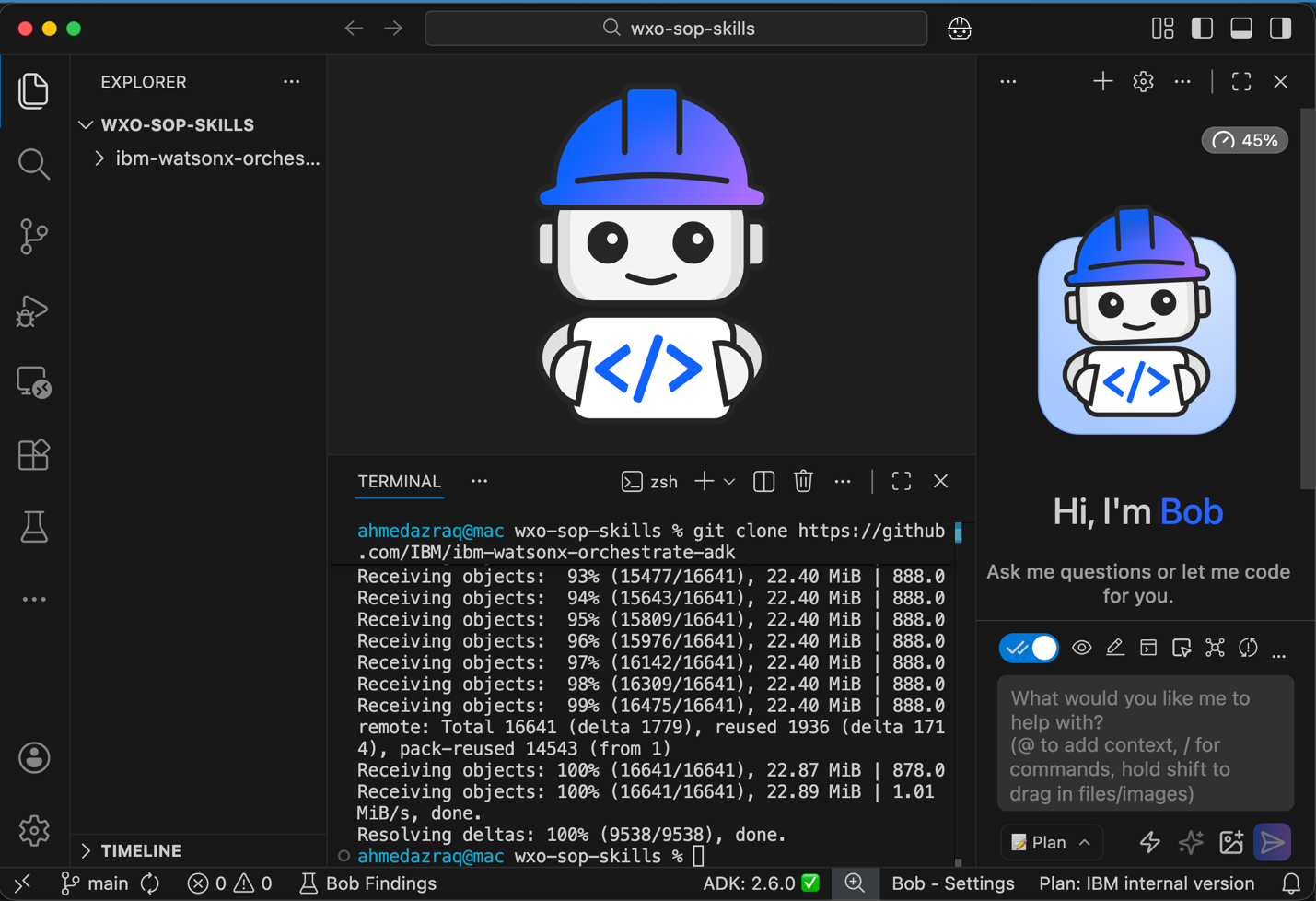
Step 2. Configure watsonx Orchestrate MCP servers
In this step, configure IBM Bob to access the required watsonx Orchestrate MCP servers.
- watsonx Orchestrate ADK documentation server: This server provides a tool that queries the watsonx Orchestrate Agent Development Kit developer documentation. Access to this documentation helps Bob understand watsonx Orchestrate features, commands, and development patterns.
- watsonx Orchestrate ADK Server: This server provides Bob with direct access to watsonx Orchestrate ADK commands. These commands allow Bob to create, import, list, and manage agents, tools, MCP toolkits, knowledge bases, and connections.
To configure the required watsonx Orchestrate MCP servers:
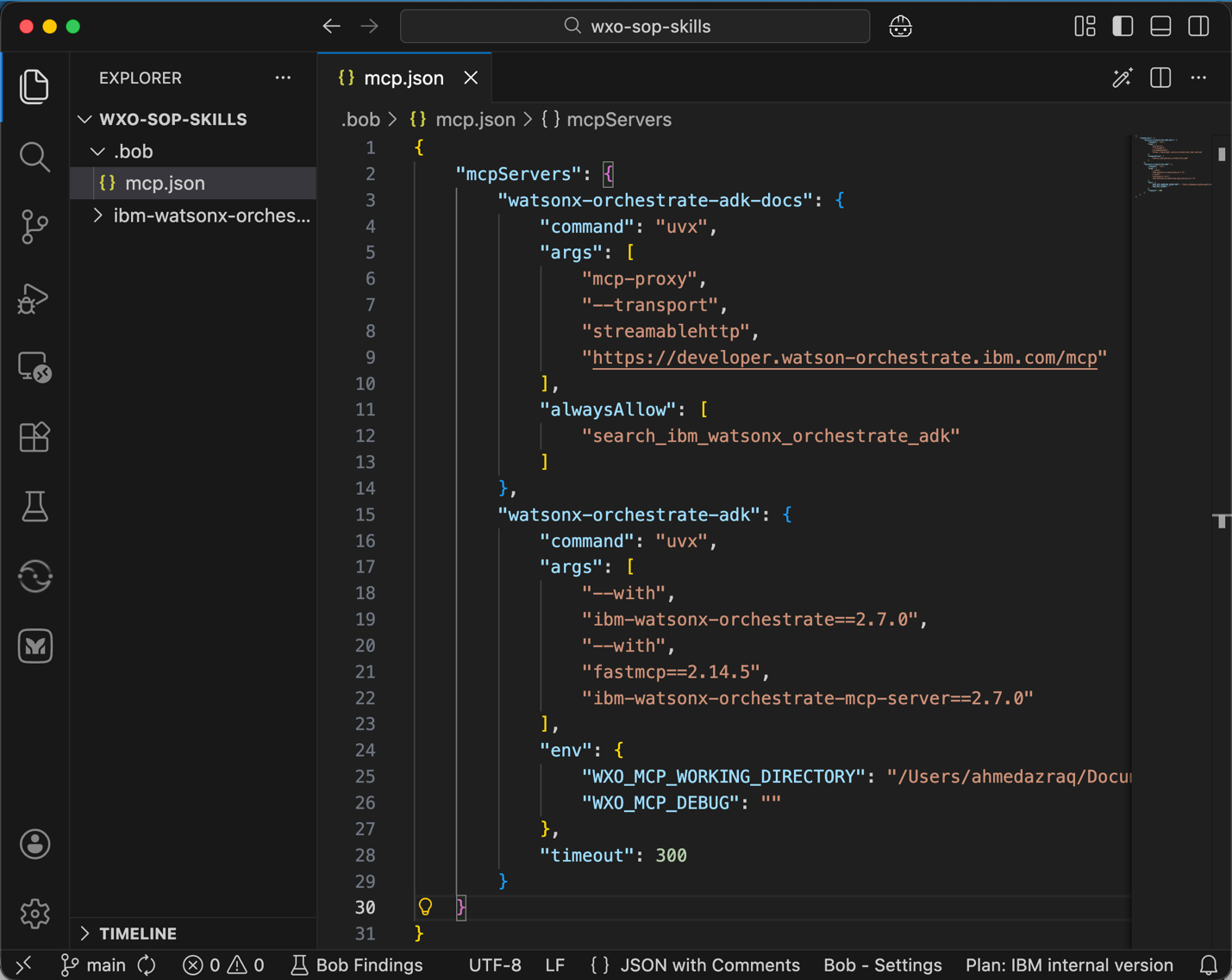
- Create a new folder named .bob. This folder stores all Bob configuration files.
Create a new file named mcp.json in the .bob folder. This file stores MCP server configuration details for connecting to the watsonx Orchestrate ADK documentation. Set the WXO_MCP_WORKING_DIRECTORY field to your working directory path.
 {
     "mcpServers": {
         "watsonx-orchestrate-adk-docs": {
             "command": "uvx",
             "args": [
                 "mcp-proxy",
                 "--transport",
                 "streamablehttp",
                 "https://developer.watson-orchestrate.ibm.com/mcp"
             ],
             "alwaysAllow": [
                 "search_ibm_watsonx_orchestrate_adk"
             ]
         },
         "watsonx-orchestrate-adk": {
             "command": "uvx",
             "args": [
                 "--with",
                 "ibm-watsonx-orchestrate==2.7.0",
                 "--with",
                 "fastmcp==2.14.5",
                 "ibm-watsonx-orchestrate-mcp-server==2.7.0"
             ],
             "env": {
                 "WXO_MCP_WORKING_DIRECTORY": "/absolute/path/to/project",
                 "WXO_MCP_DEBUG": ""
             },
             "timeout": 300
         }
     }
 }
Step 3. Configure the watsonx Orchestrate ADK extension
In this step, configure the watsonx Orchestrate Agent Development Kit extension in Bob.
The extension provides a structured and simplified way to set up the watsonx Orchestrate ADK environment. The extension handles configuration tasks that usually require manual setup. These tasks include folder structure setup, environment variable configuration, and remote runtime connections. With the extension, you can:
- Automatically initialize and configure the watsonx Orchestrate ADK environment.
- Connect to a remote watsonx Orchestrate runtime environment.
- Reduce the need to manually learn and manage ADK configuration details.
To configure the watsonx Orchestrate Agent Development Kit extension in Bob:
Create a Python virtual environment.
- Open the IBM Bob IDE.
- Press CMD + Shift + P.
- Select Python: Create Environment.
- Select venv.
- Choose Python 3.12.
Rename the virtual environment folder from .venv to venv in the project root directory.
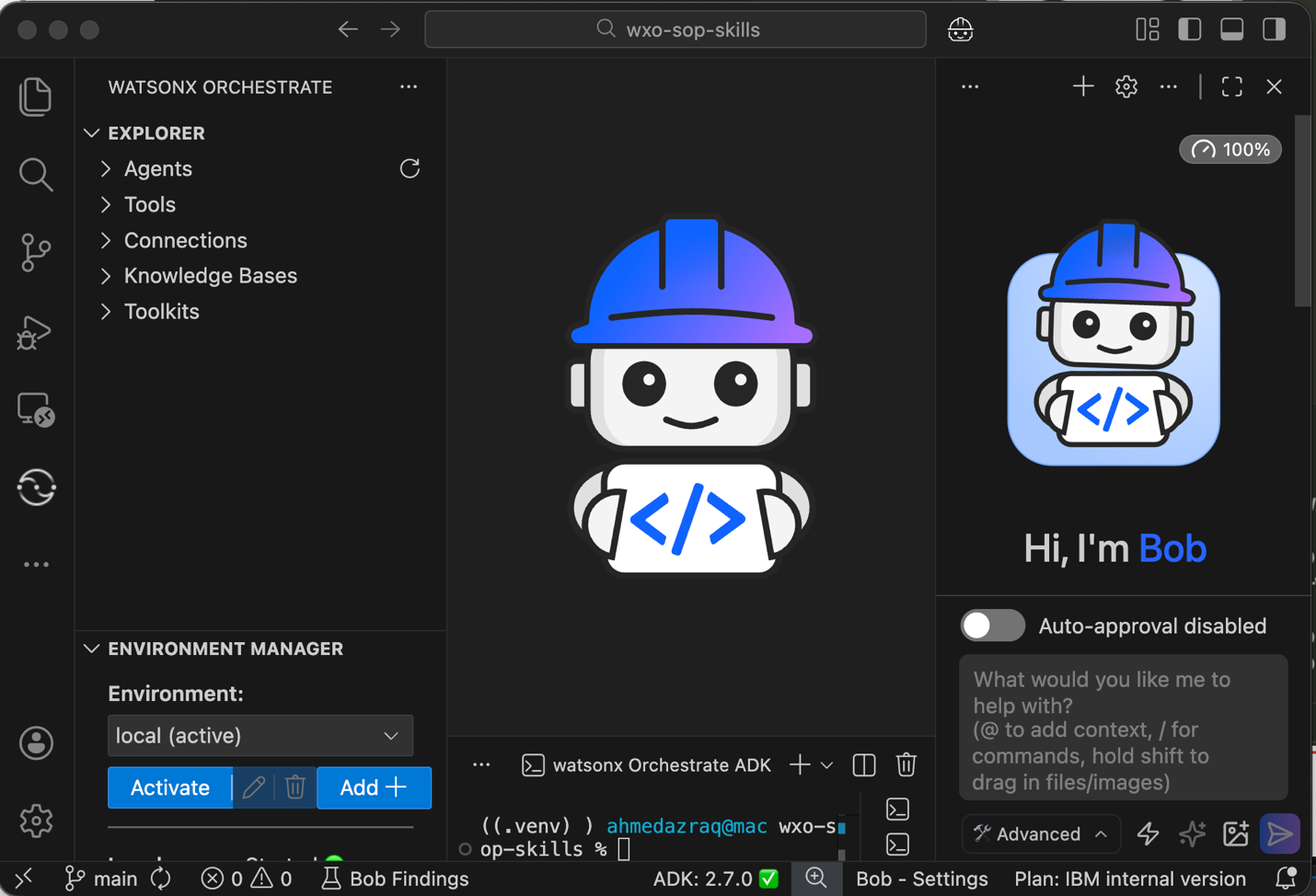
- Select the watsonx icon in the left sidebar. Click Initialize Workspace.
In the Environment Manager, configure access to the watsonx Orchestrate environment. Select Local from the Environment list and click Activate.
After activation, the watsonx Orchestrate ADK extension displays the agents, tools, connections, knowledge bases, and toolkits available in the connected environment.
Step 4. Configure Bob skills
In this step, configure Bob skills for watsonx Orchestrate Agent Development Kit development.
You instruct Bob to use the following Bob skills:
- sop-builder: Provides guidance for creating SOPs. The skill supports workflow diagrams, BPMN models, Langflow JSON, n8n JSON, and written workflow descriptions.
- wxo-builder: Provides guidance for generating watsonx Orchestrate native solutions. The skill creates agents, flows, tools, and knowledge bases. The skill works from business requirements or from SOP documents.
Bob skills use a standard Agent Skills format. This format is not specific to Bob. The format allows reuse across different coding agents and keeps the skills independent from the coding agent implementation.
These Bob skills work together with watsonx Orchestrate MCP servers. The skills provide focused knowledge about the watsonx Orchestrate programming model. The skills also help control context, improve response accuracy, and guide Bob on what information to retrieve from MCP servers before generating solutions.
You follow a spec-driven development workflow using Bob skills:
- Use the sop-builder Bob skill to generate the SOPs document.
- Ask a subject matter expert to review and approve the SOP document.
- Use the wxo-builder Bob skill to generate the watsonx Orchestrate project. Use the README.md file as the implementation specification.
- Make updates based on review results:
- If the business specification is incorrect, update the SOP document and run the sop-builder Bob skill again.
- If the technical implementation is incorrect, update the README.md file and run the wxo-builder Bob skill again.
Follow these steps to configure the required Bob skills:
- Make sure that Advanced mode is enabled and auto-approval is disabled. Advanced mode is required to access the MCP servers.
Provide Bob with instructions to download and enable the required Bob skills.
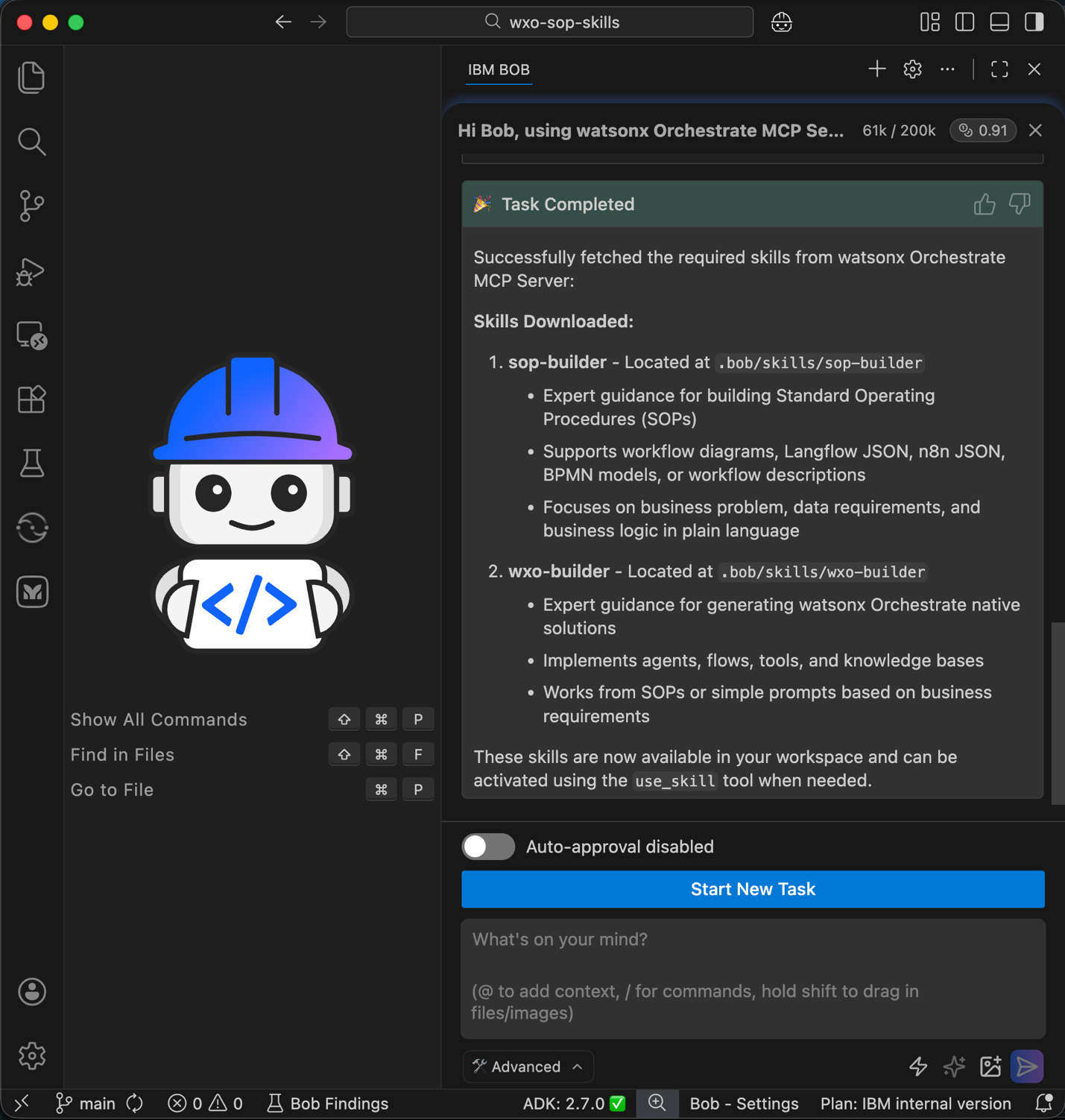
Hi Bob, using watsonx Orchestrate MCP Server, get the Bob skills required for building SOP, and building watsonx Orchestrate agents and tools.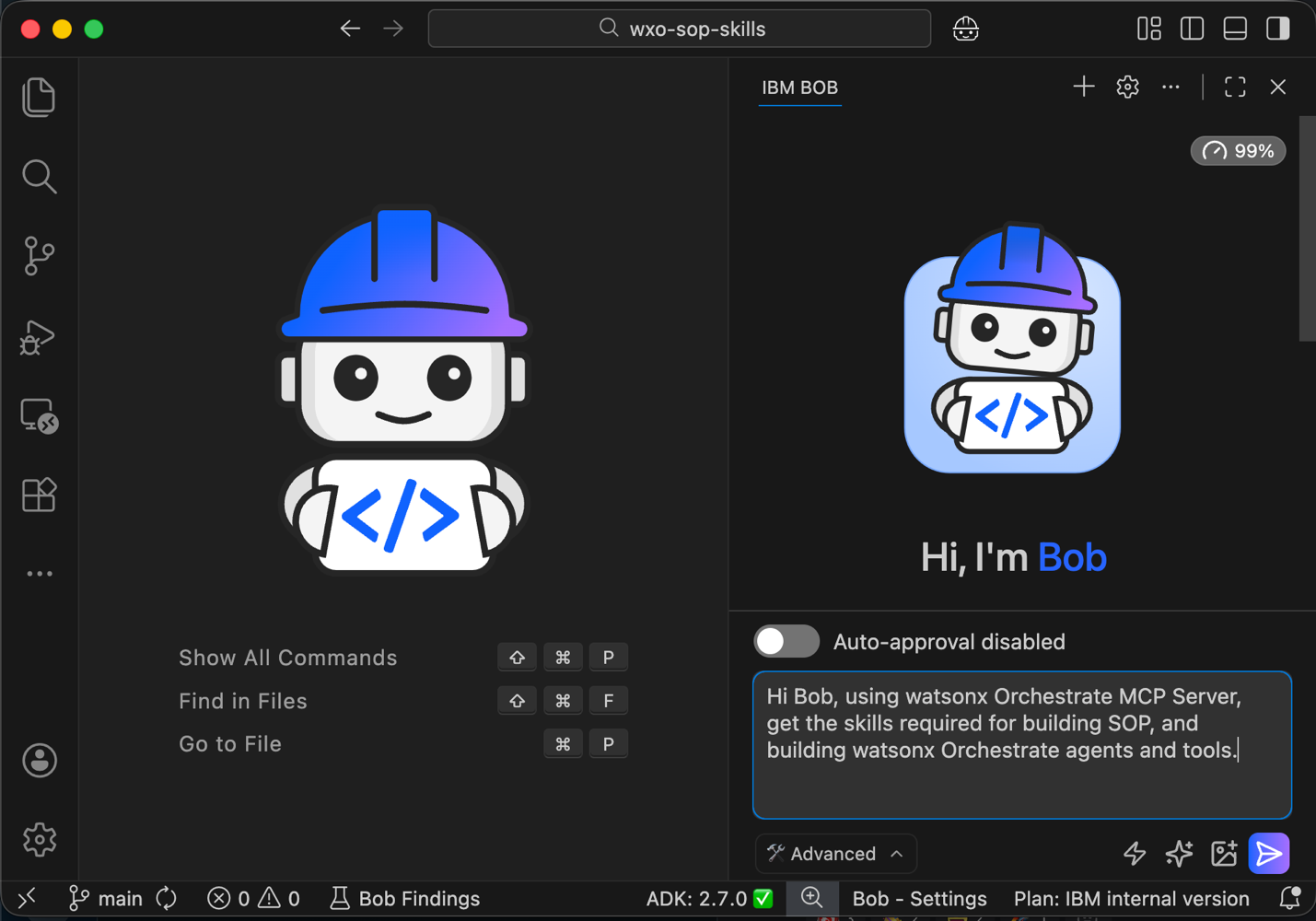
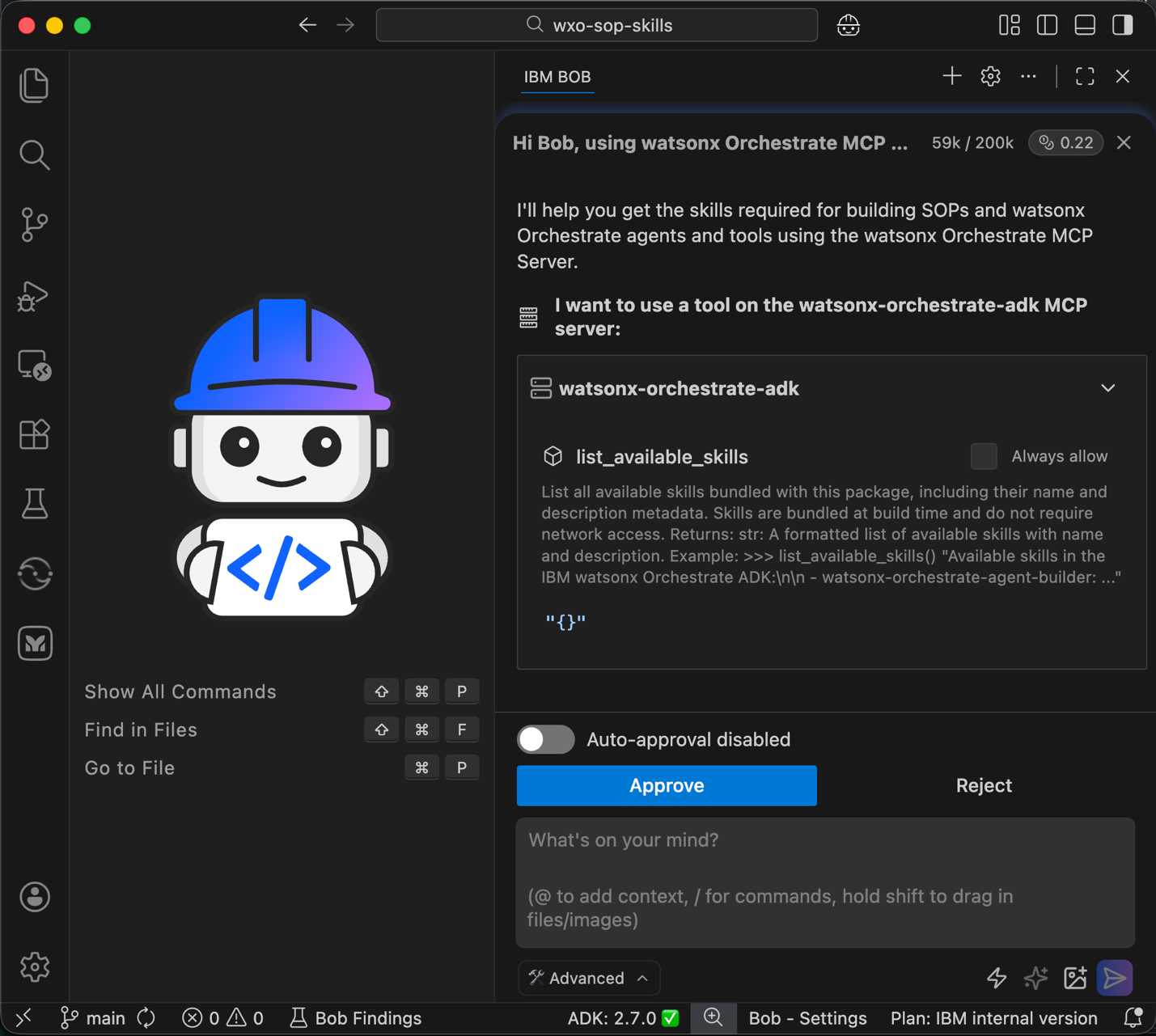
Bob uses the watsonx Orchestrate MCP server to search for available Bob skills. Click Approve.
Bob downloads the sop-builder skill. Click Approve.
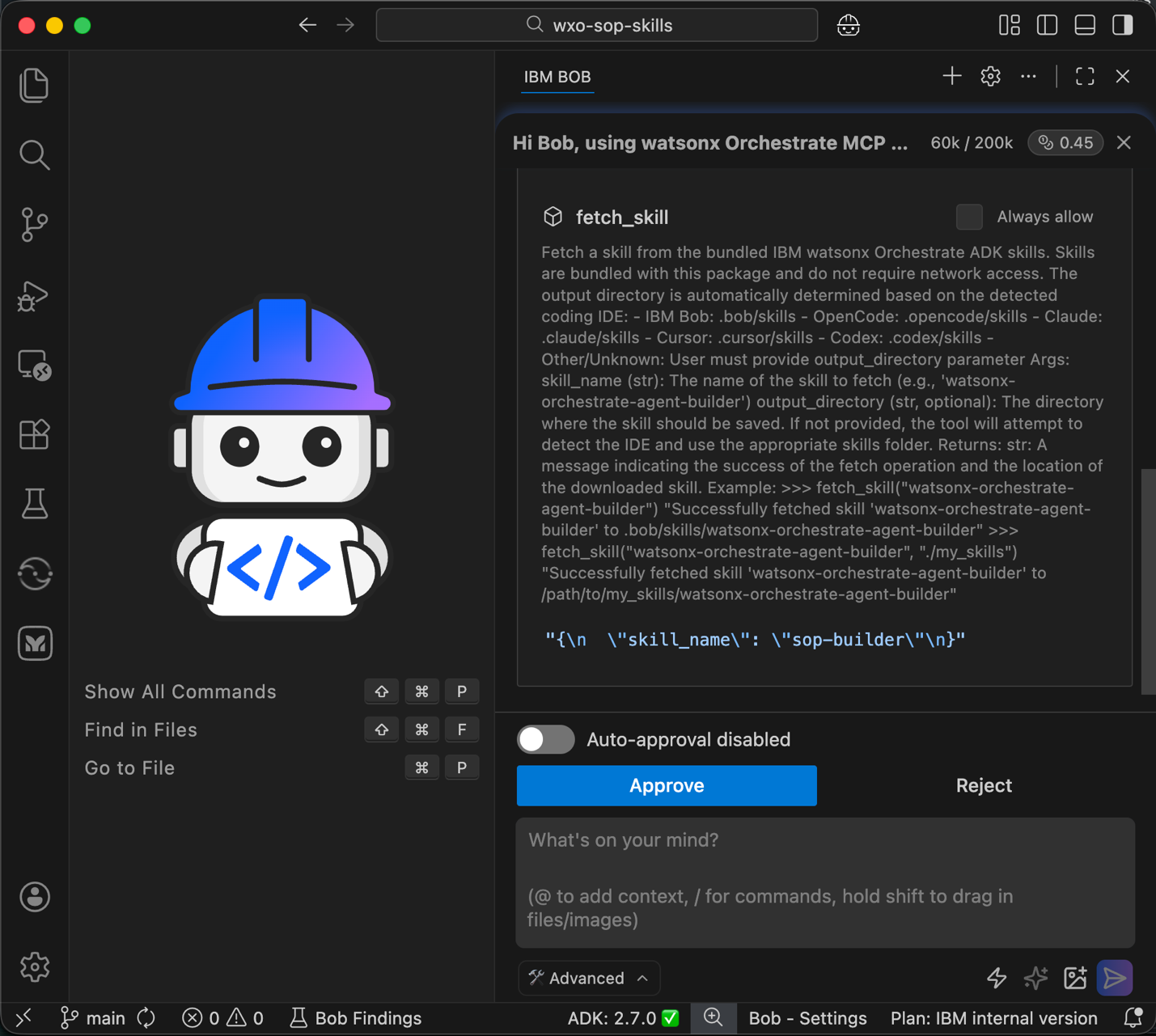
Bob downloads the wxo-builder skill. Click Approve.
Bob stores both skills in the .bob/skills folder. The skills are now available for activation and use.
Step 5. Create the standard operating procedure document
In this step, use Bob skills to create a standard operating procedure (SOP) document based on the BPMN model. Bob analyzes the BPMN notation and converts the workflow into a clear and structured SOP document.
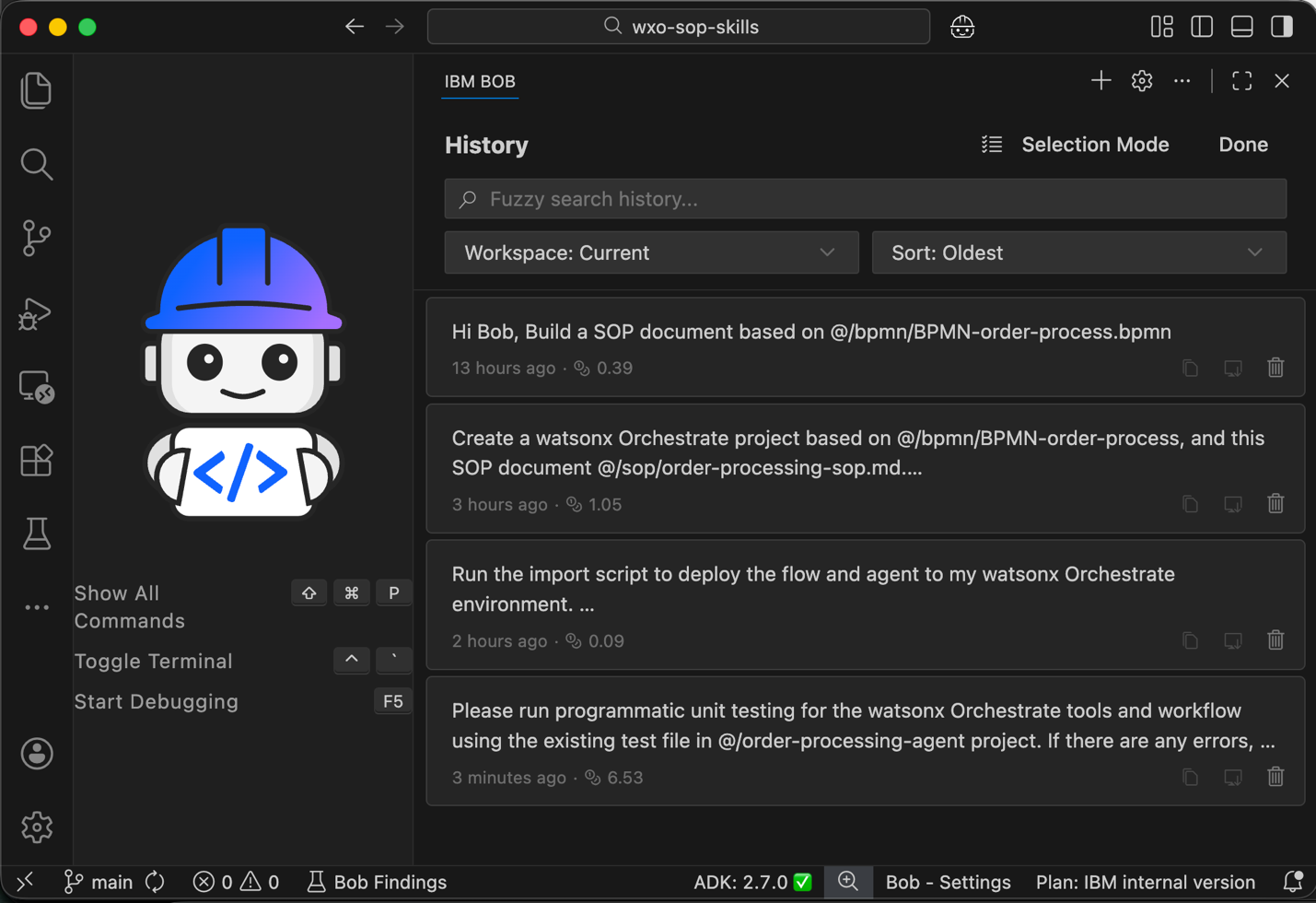
Click Start New Task to begin a new task for this step.
Note: Starting new tasks regularly reduces context size and lowers resource usage.
Make sure that you enable Advanced mode and disable auto-approval. Advanced mode activates Bob skills.
- Create a new folder named bpmn. Download the file BPMN-order-process.bpmn into this folder.
Provide Bob with instructions to generate the SOP document.
Hi Bob, Build a SOP document based on @/bpmn/BPMN-order-process.bpmn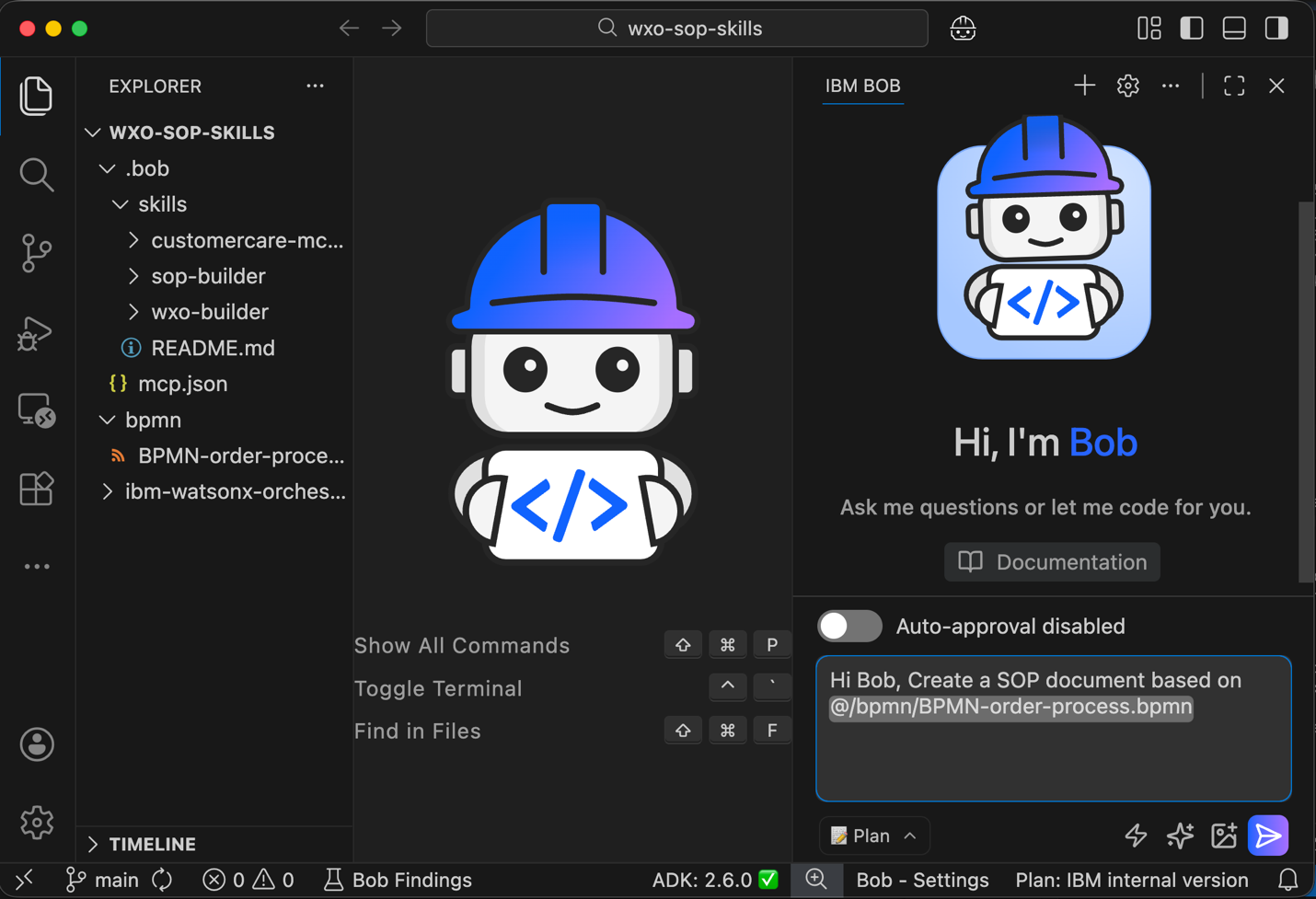
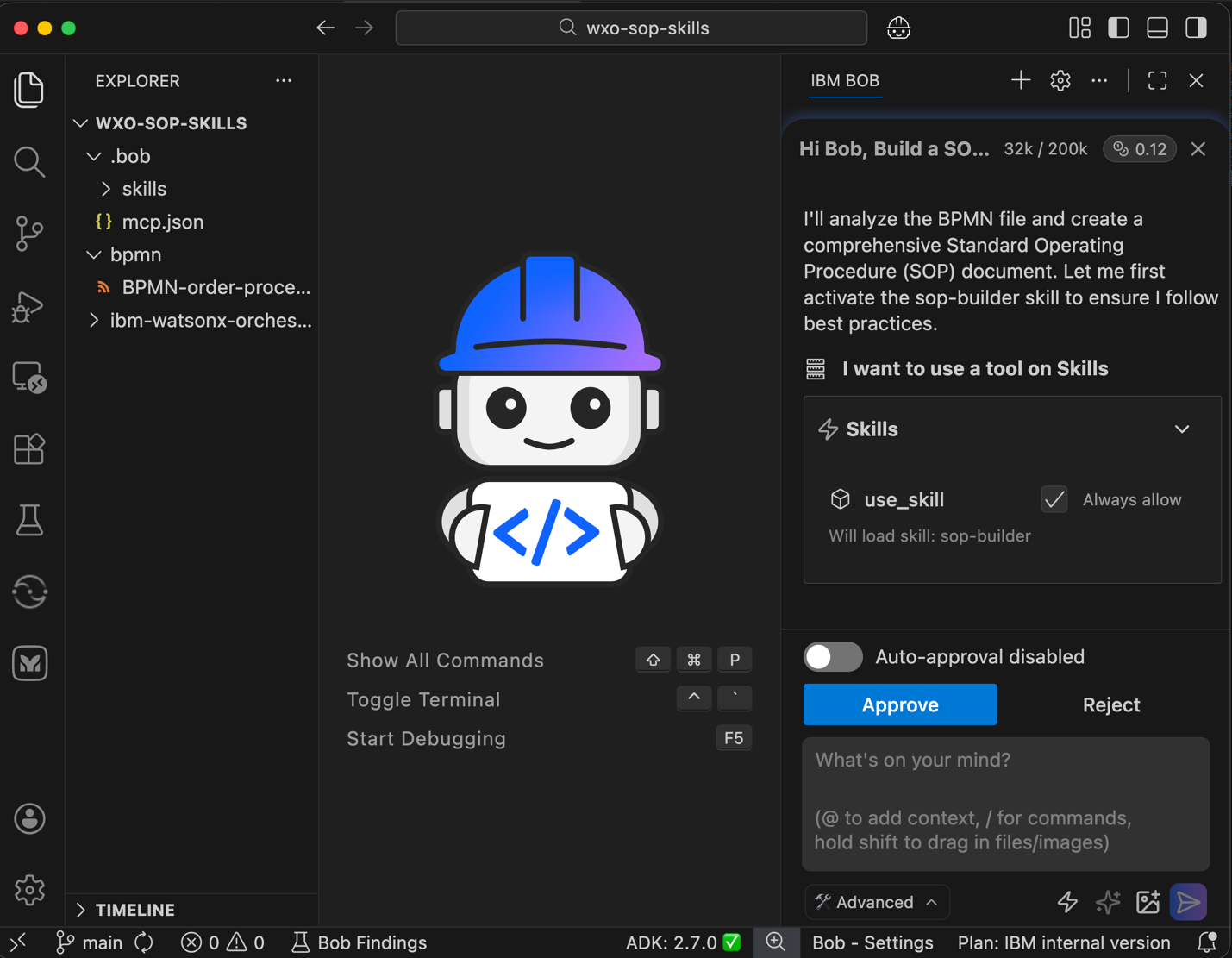
Bob selects the sop-builder skill and requests permission to use the skill. Click Always Allow and then click Approve to activate the skill.
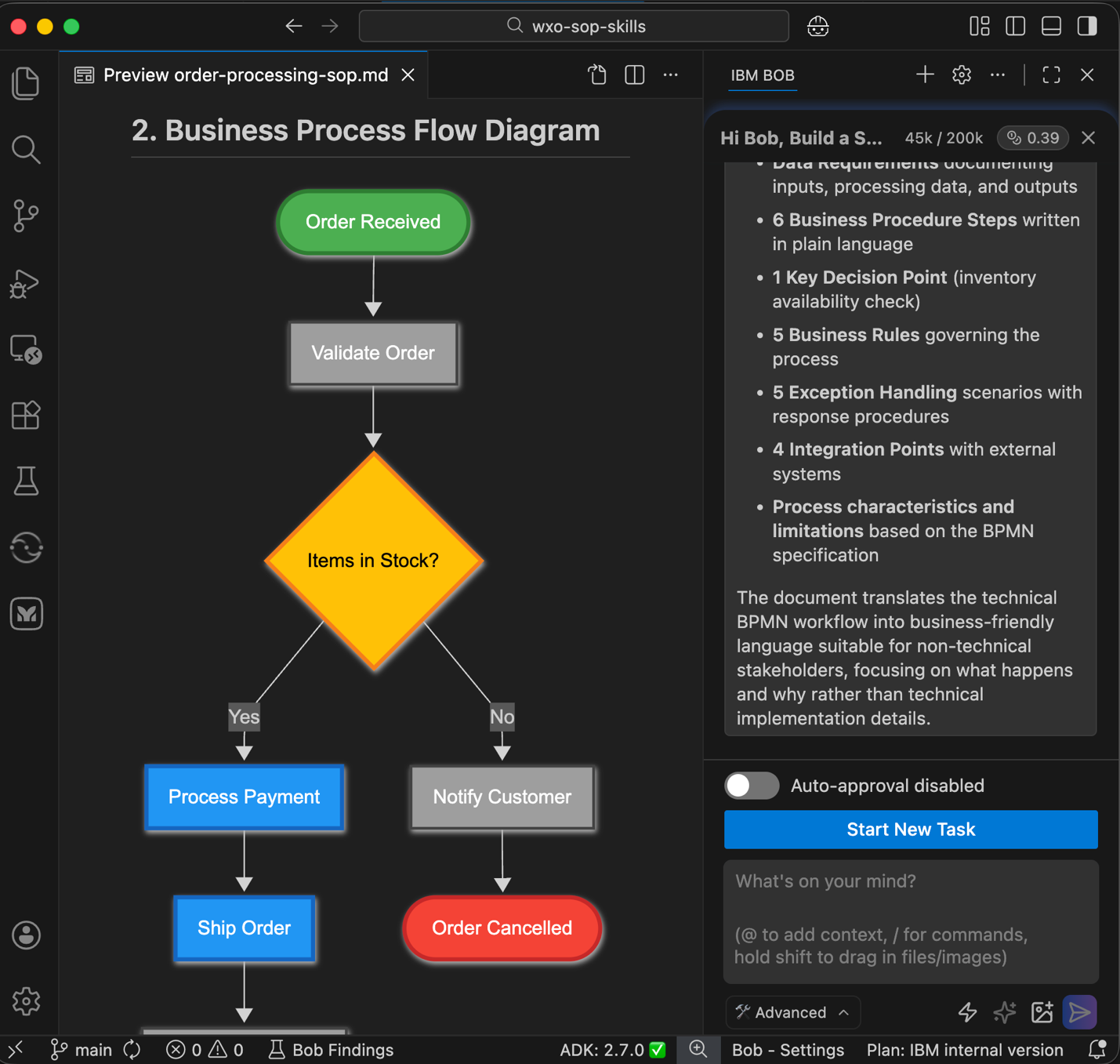
Bob generates the Standard Operating Procedure document. Click Save to store the document.
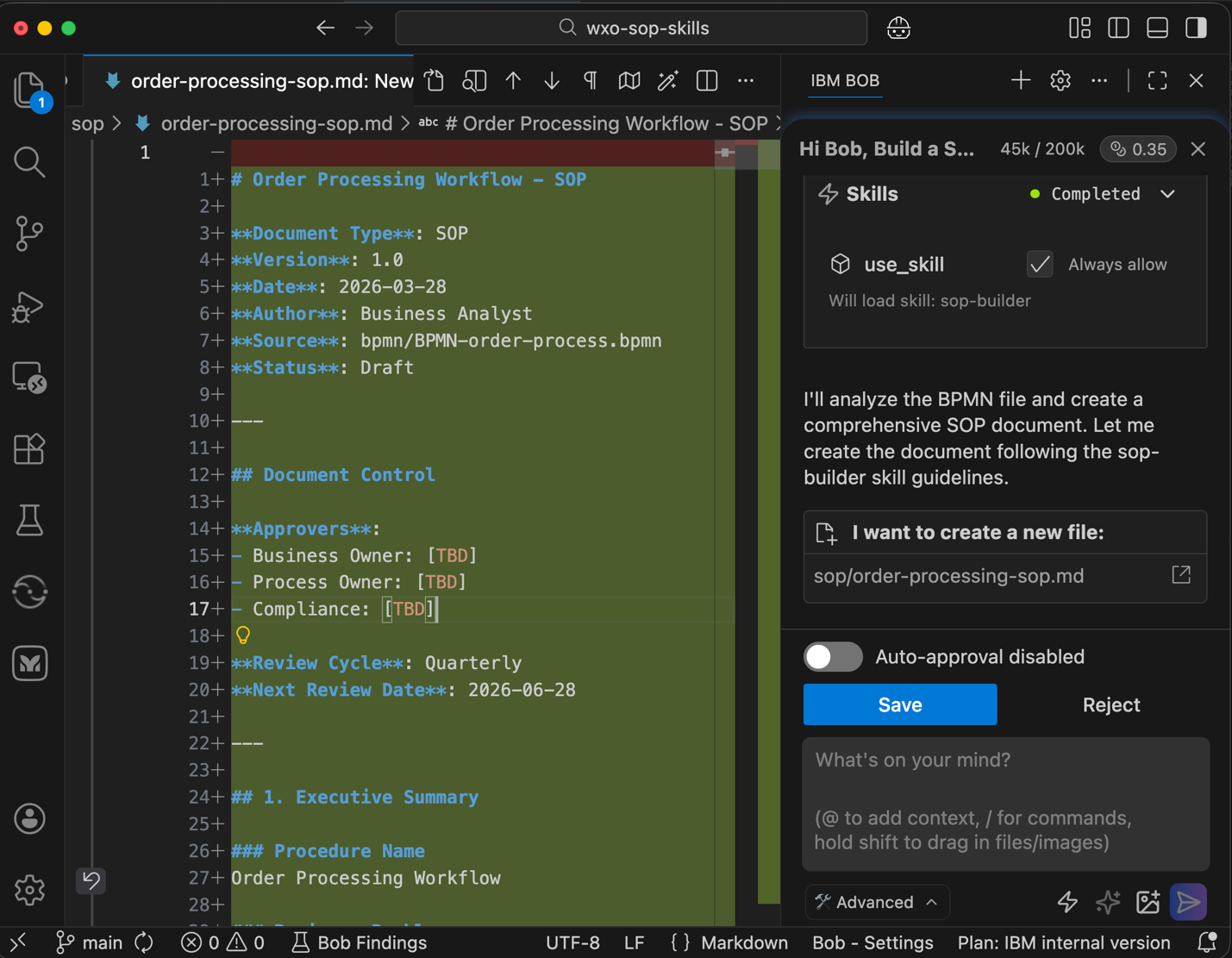
Open the document and review the content. The document converts the BPMN workflow into clear business language. You will use the document in later steps to generate a watsonx Orchestrate agent.
The document includes the following sections:
- Executive summary
- Business process flow diagram
- Business context
- Procedure overview
- Data requirements
Business procedure steps
This document serves as the foundation for implementing an automated order processing agent in watsonx Orchestrate. To view the Mermaid diagrams in the document, install the Mermaid Chart extension.
Step 6. Create the agentic workflow from the SOP document
In this step, instruct Bob to implement the code and create the required configuration artifacts based on the standard operating procedure (SOP) document from the previous step.
Bob creates a watsonx Orchestrate agent that implements the complete order processing workflow. The agent follows the BPMN order process specification and the SOP document. The agent manages customer orders from order validation to order fulfillment or order cancellation.
The implementation uses mock integrations. The mock integrations demonstrate the full workflow without dependencies on external systems.
- Click Start New Task to begin a new task for this step.
- Keep Advanced mode enabled. Advanced mode allows Bob to use Bob skills and access watsonx Orchestrate ADK MCP servers.
Provide Bob with the instructions to create the agent. Review the proposed plan and click Approve.
 Create a watsonx Orchestrate project based on @/bpmn/BPMN-order-process, and this SOP document @/sop/order-processing-sop.md.

 Additional Details:
 - ALWAYS consult the Bob Skill BEFORE writing any watsonx Orchestrate flow or agent code
 - Reference @/ibm-watsonx-orchestrate-adk/examples for proven flow creation patterns (conditional branching, sequential tool chaining)
 - Use the watsonx Orchestrate ADK Documentation MCP server for API references
 - Create new folder `order-processing-agent` for this project
 - Implement with simulated/mock integrations (no external dependencies)
 - Keep business logic in Python tools, not in complex flow expressions.
 - Use automatic mapping when possible instead of complex mapping, and flat field schemas (e.g., `customer_email`) not nested objects (e.g., `customer.email`) to enable automatic mapping.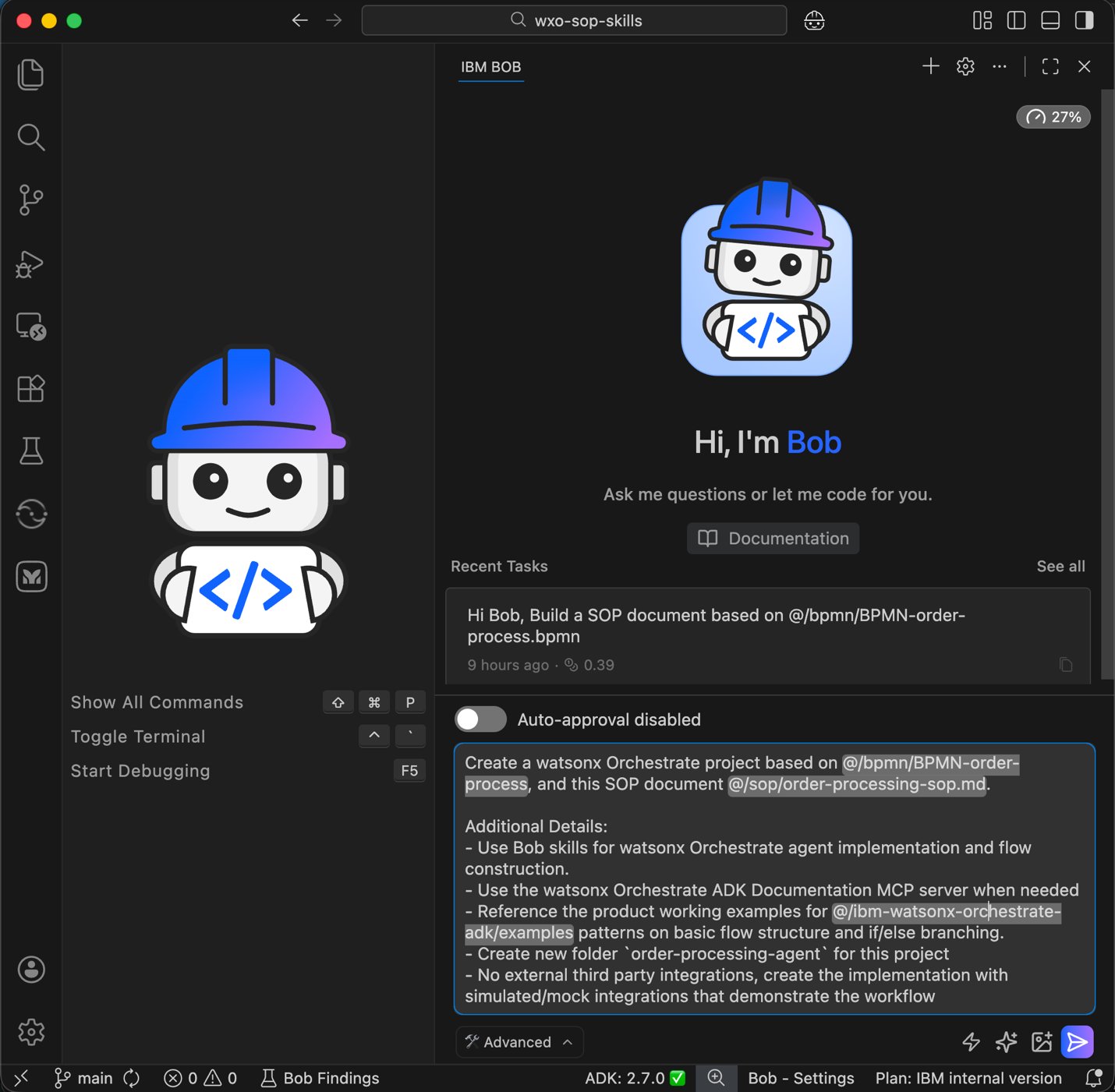
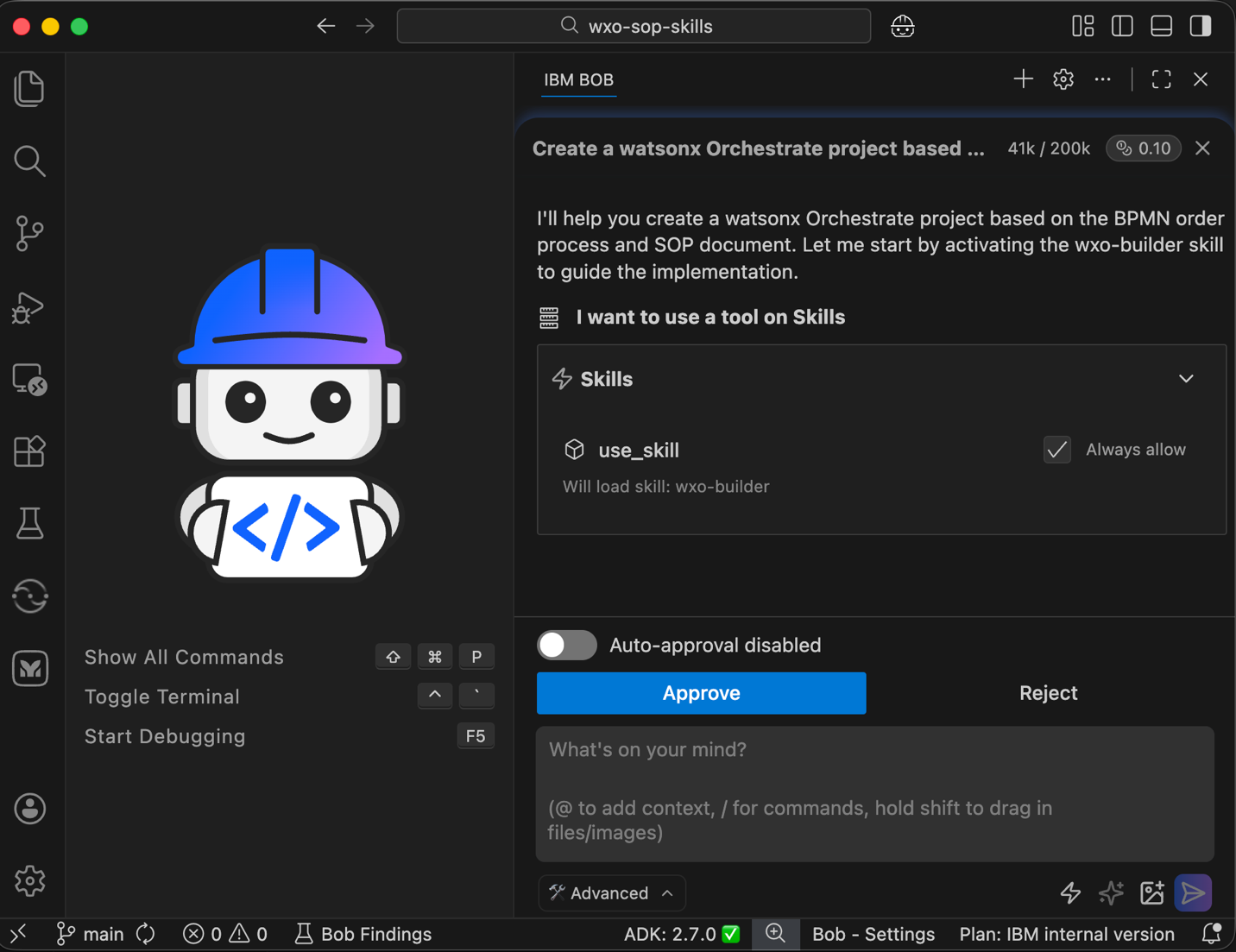
Bob identifies the wxo-builder skill as the correct skill to use. Click Approve.
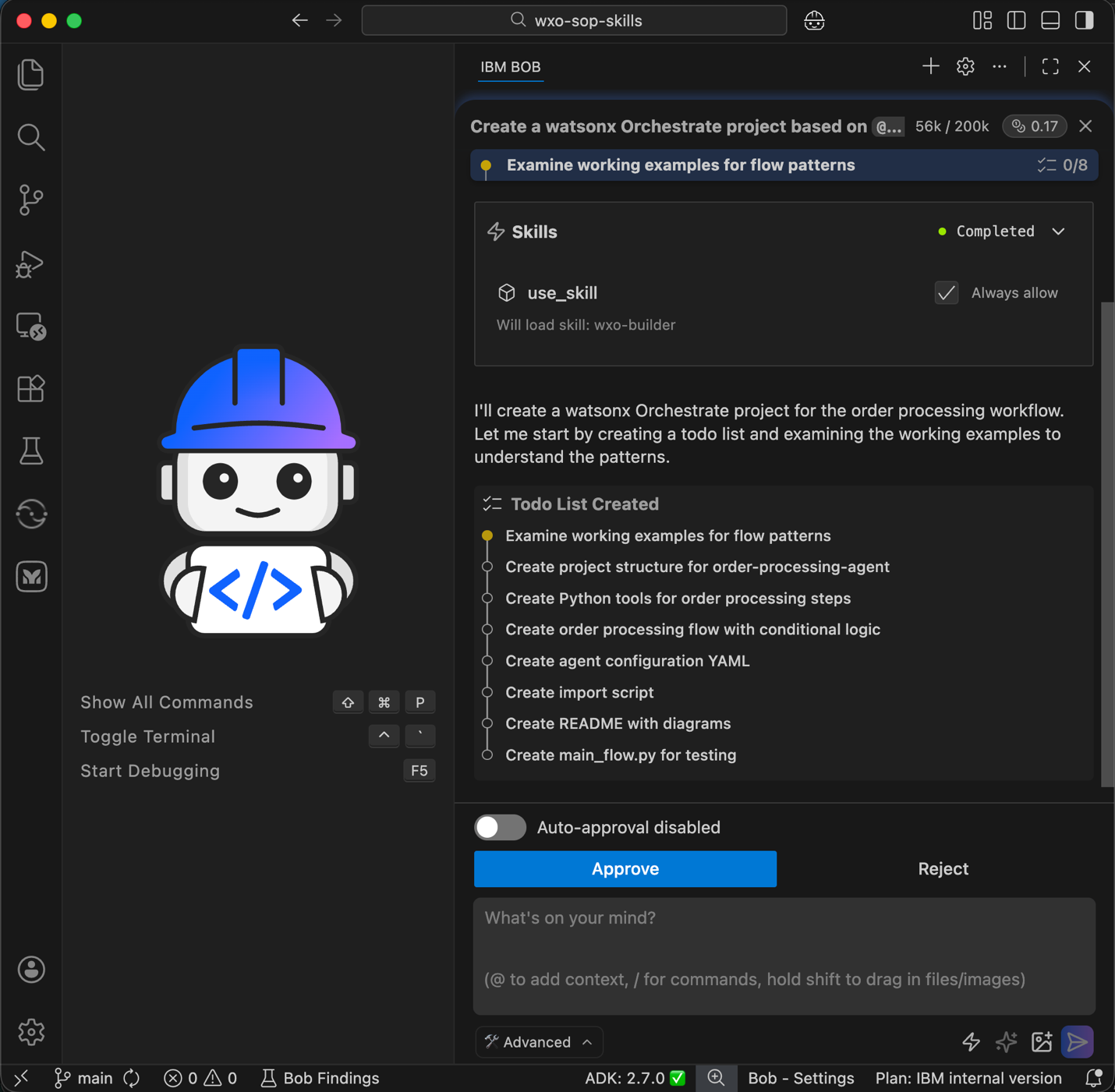
Bob creates a task list that describes the steps that are required to implement the agent. Review the task list and click Approve.
Bob requests permission to access the watsonx Orchestrate ADK GitHub repository for example projects. Click Approve All.
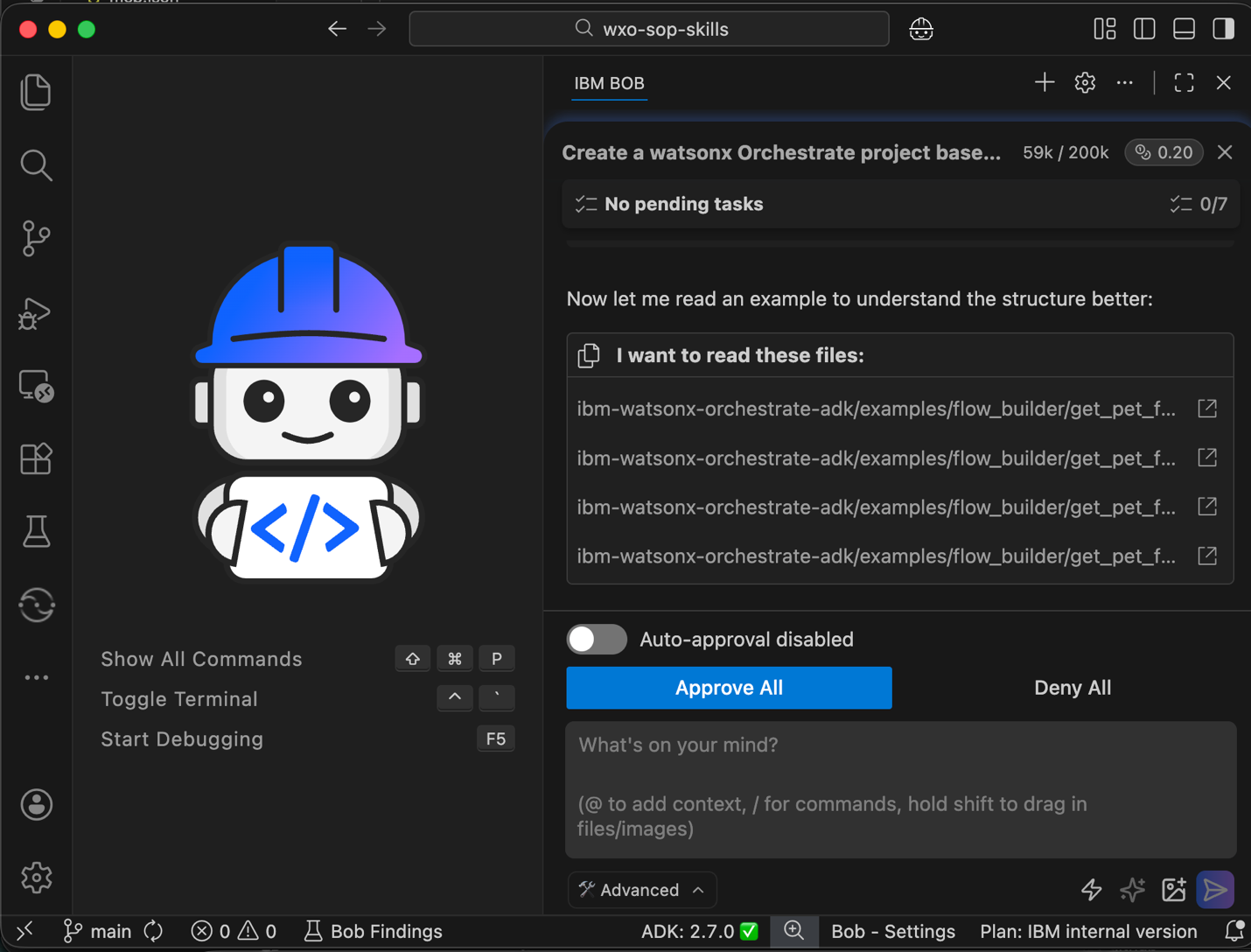
Continue working with Bob by reviewing and approving the creation of agents, tools, and workflows.
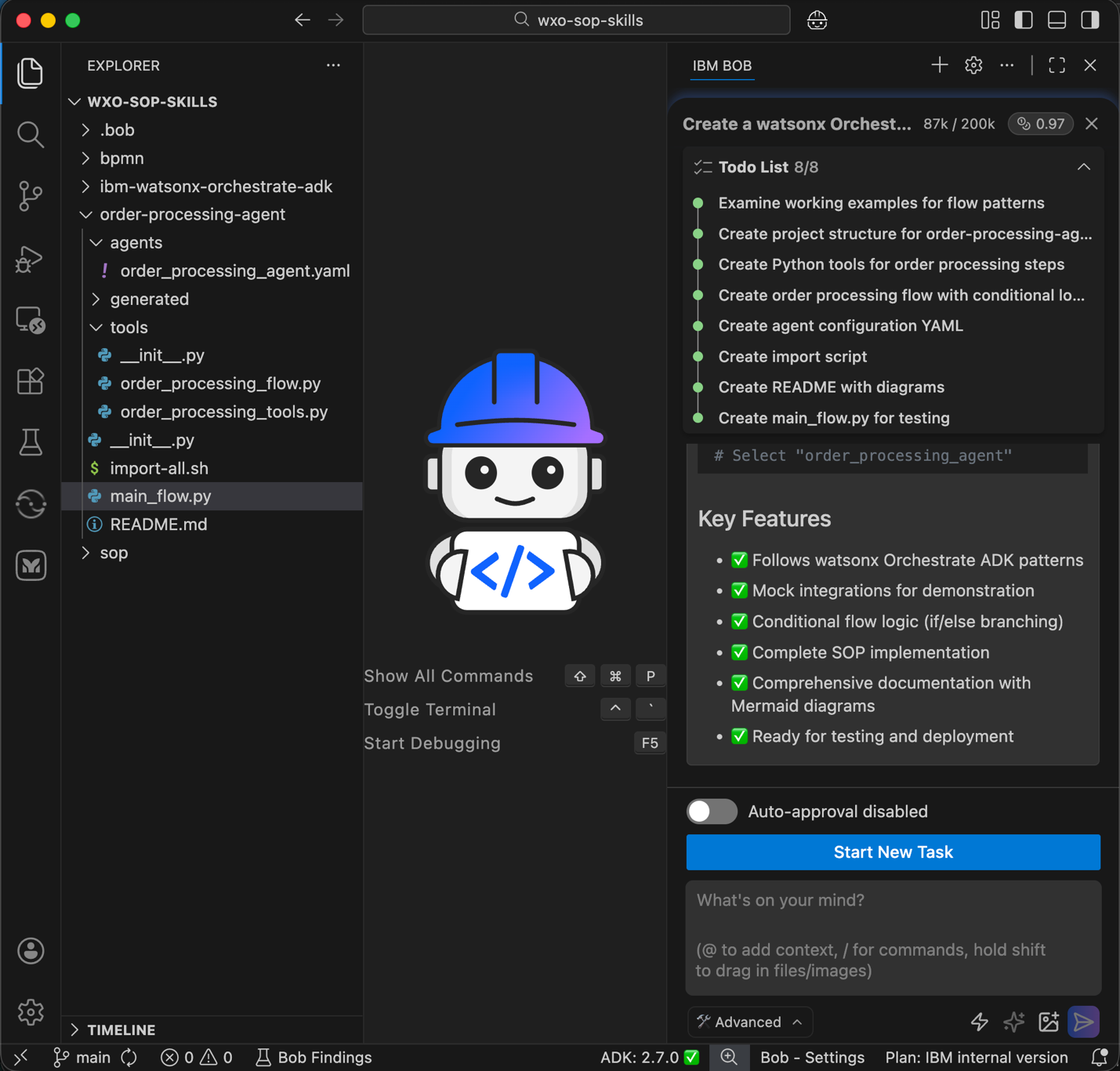
Review the project structure that Bob created. Bob creates the following artifacts:
- Agents that handle user interaction and workflow execution.
- Python tools that implement order processing logic.
- Agent workflow file named
order_processing_flow.pythat orchestrates the complete order fulfillment process with conditional logic. - Agent configuration file named
order_processing_agent.yamlthat enables language model interaction for collecting order details and triggering the workflow. - Test scripts that validate successful orders and edge cases.
- Documentation and architecture diagrams that explain the solution design.
Import script that imports the agent and tools into watsonx Orchestrate.
These artifacts together form a complete and testable order processing solution.
Step 7. Deploy the agentic workflow and agent
In this step, ask Bob to deploy the agent workflow and agent configuration to the watsonx Orchestrate environment. Bob uses the command-line to run the import script created in the previous step.
- Click Start New Task to begin a new task for this step.
Provide Bob with the following instruction to deploy the agent and tools:
 Run the import script to deploy the flow and agent for order-processing to my watsonx Orchestrate environment.
 If there any issues in the import, use Bob skills, watsonx Orchestrate documentation MCP Server, and example projects for guidance.
 Append the console output in a log file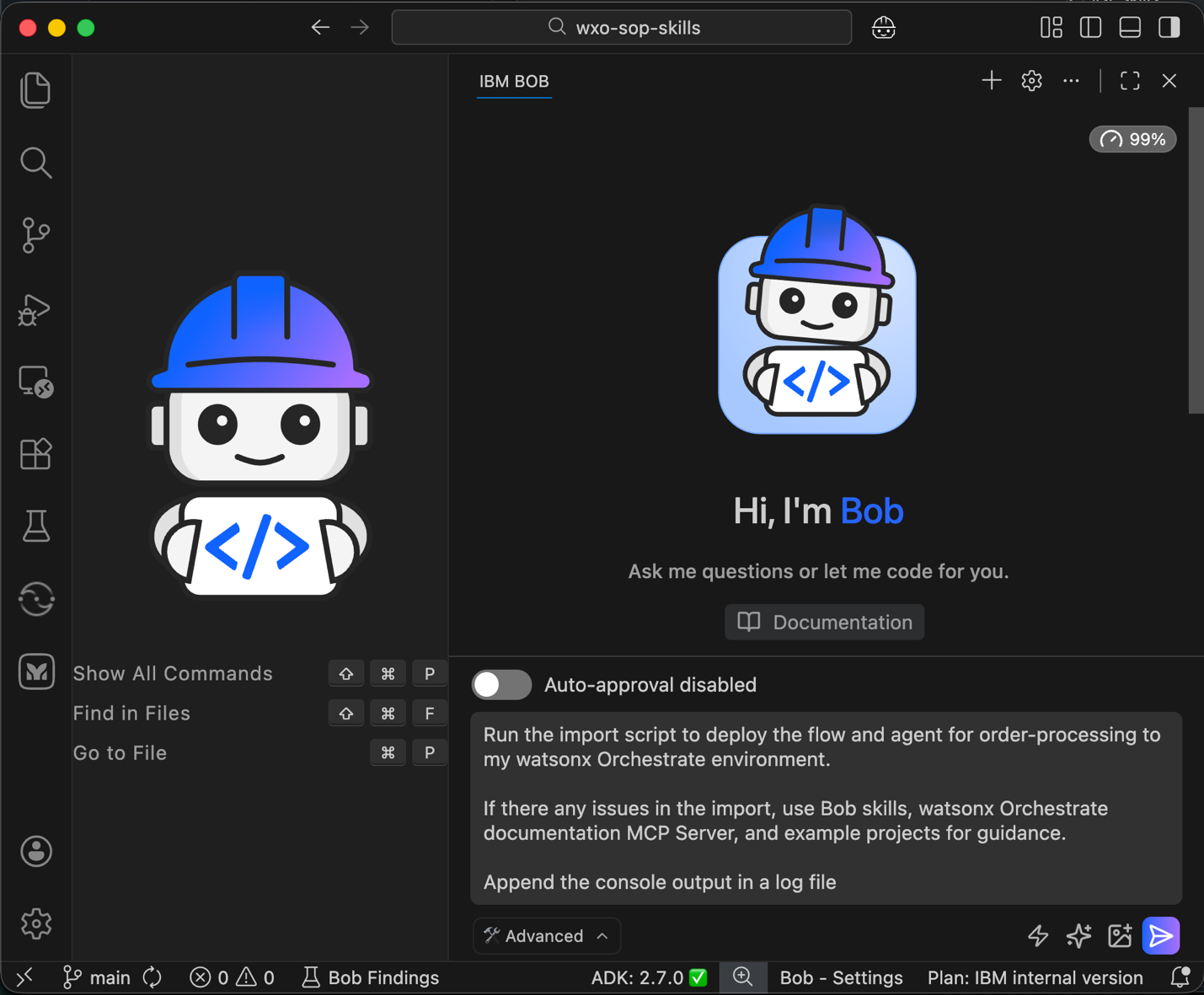
Bob identifies the import script that you created in an earlier step and begins the import process for the agents and tools.
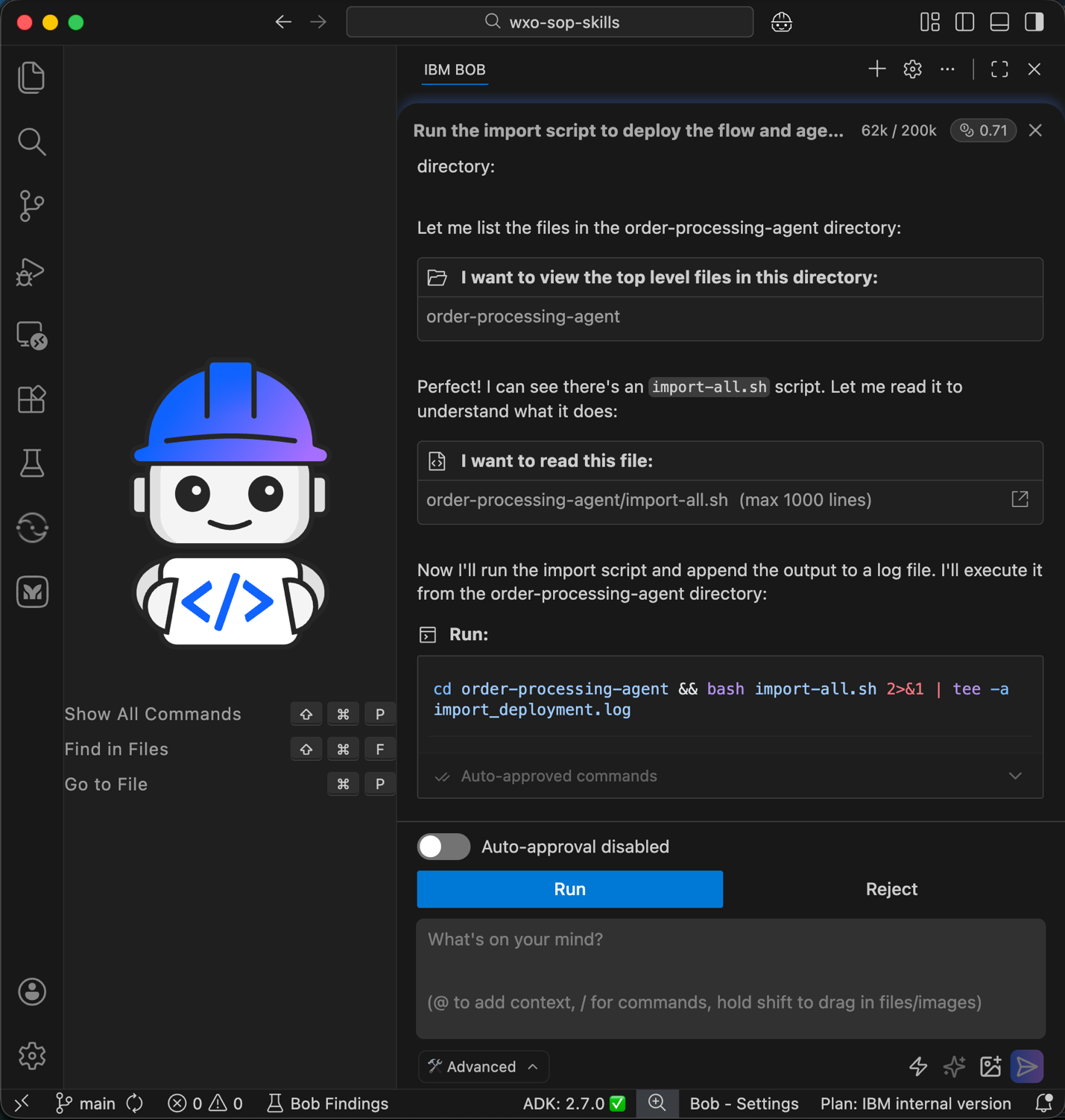
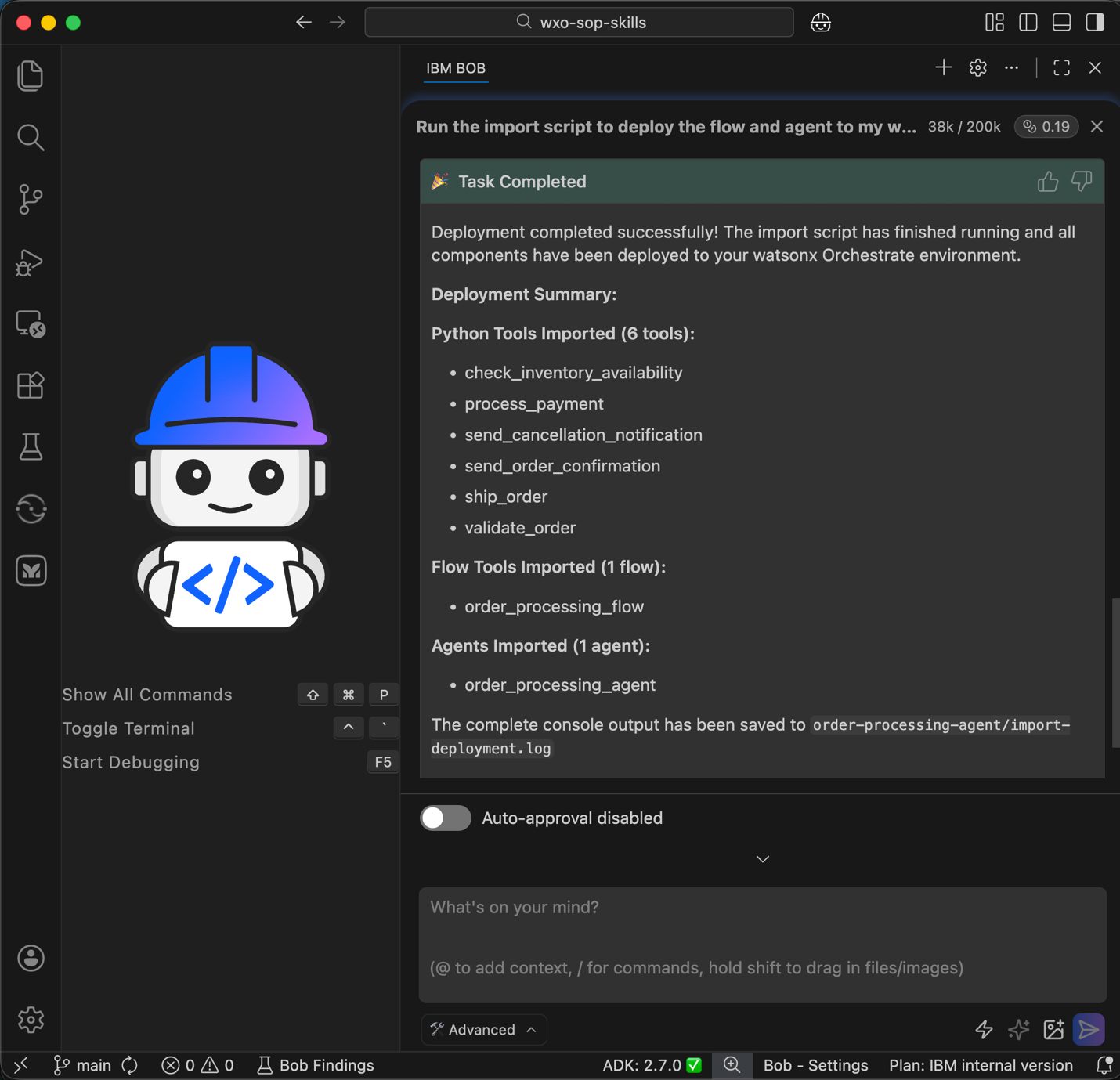
The import process runs for several minutes. Monitor the deployment log file that Bob created to track progress and status.
Bob deploys the agent and the agent workflow to the watsonx Orchestrate environment.
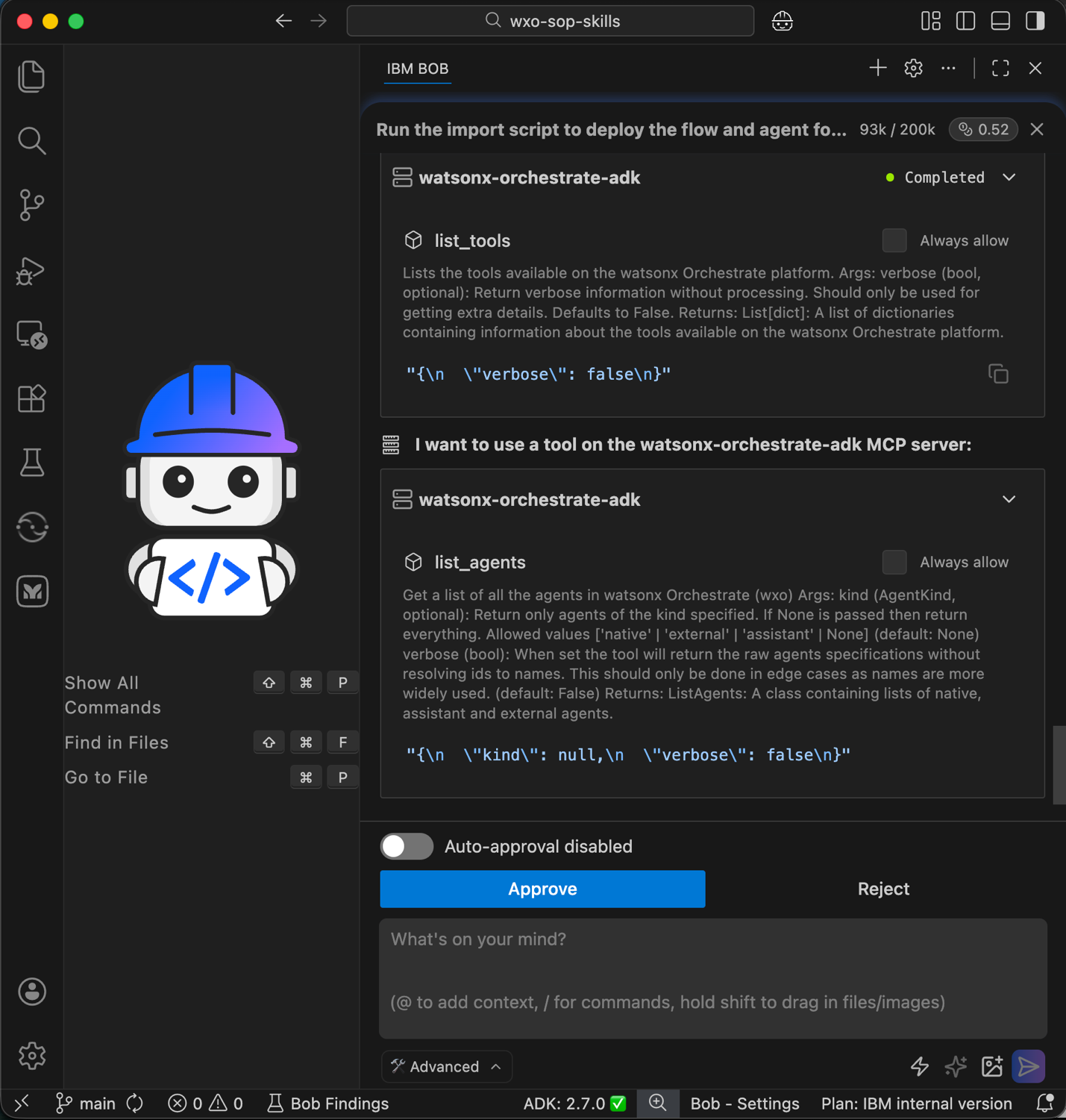
Bob uses the watsonx Orchestrate MCP server to list deployed agents and tools. Review the results and click Approve to confirm successful deployment.
Step 8. Run unit tests for the agentic workflow and the agent
In this step, ask Bob to run unit tests for the deployed agent workflow and agent.
- Click Start New Task to begin a new task for this step.
Provide Bob with instructions to run unit tests for the deployed order processing agent and workflow.
 Please run programmatic unit testing for the watsonx Orchestrate tools and workflow using the existing test file in @/order-processing-agent project. If there are any errors, please fix them, re-import the tools, and retry the tests until successful.

 Additional Details:
 - Before making ANY changes to flow logic, you MUST use the Bob skill "wxo-builder" to consult best practices.
 - Use the watsonx Orchestrate ADK Documentation MCP server when you need specific API references or implementation details
 - When encountering flow-related issues, consult the Bob skill and reference existing flow examples in the @/ibm-watsonx-orchestrate-adk/examples.
 - Read all related files together (tools, flow, test script) before making changes to understand the complete context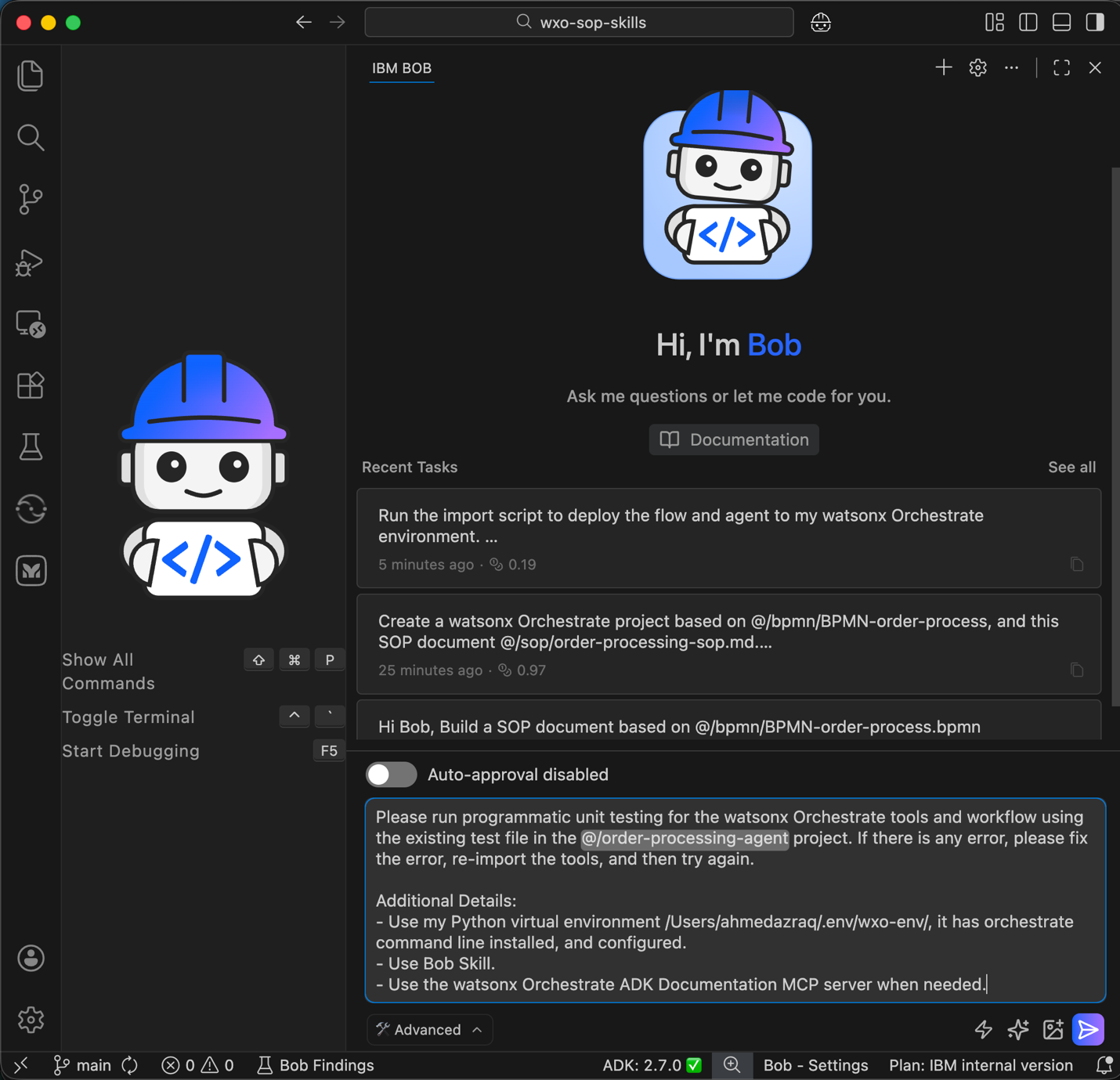
Bob identifies the unit test file that you created in an earlier step and generates a testing plan. Review the plan and click Approve.
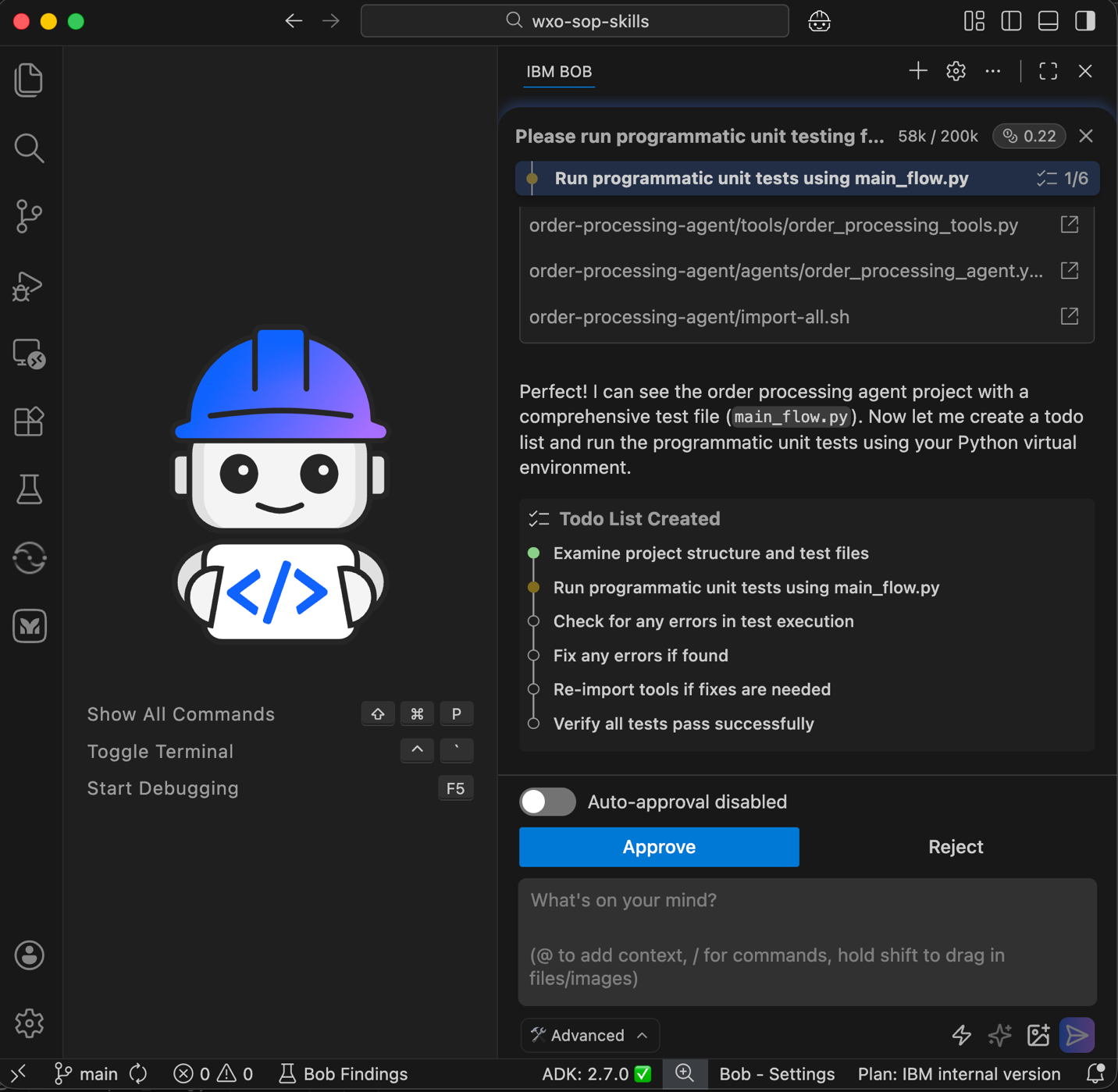
Bob runs the unit tests. Click Run to start test execution.
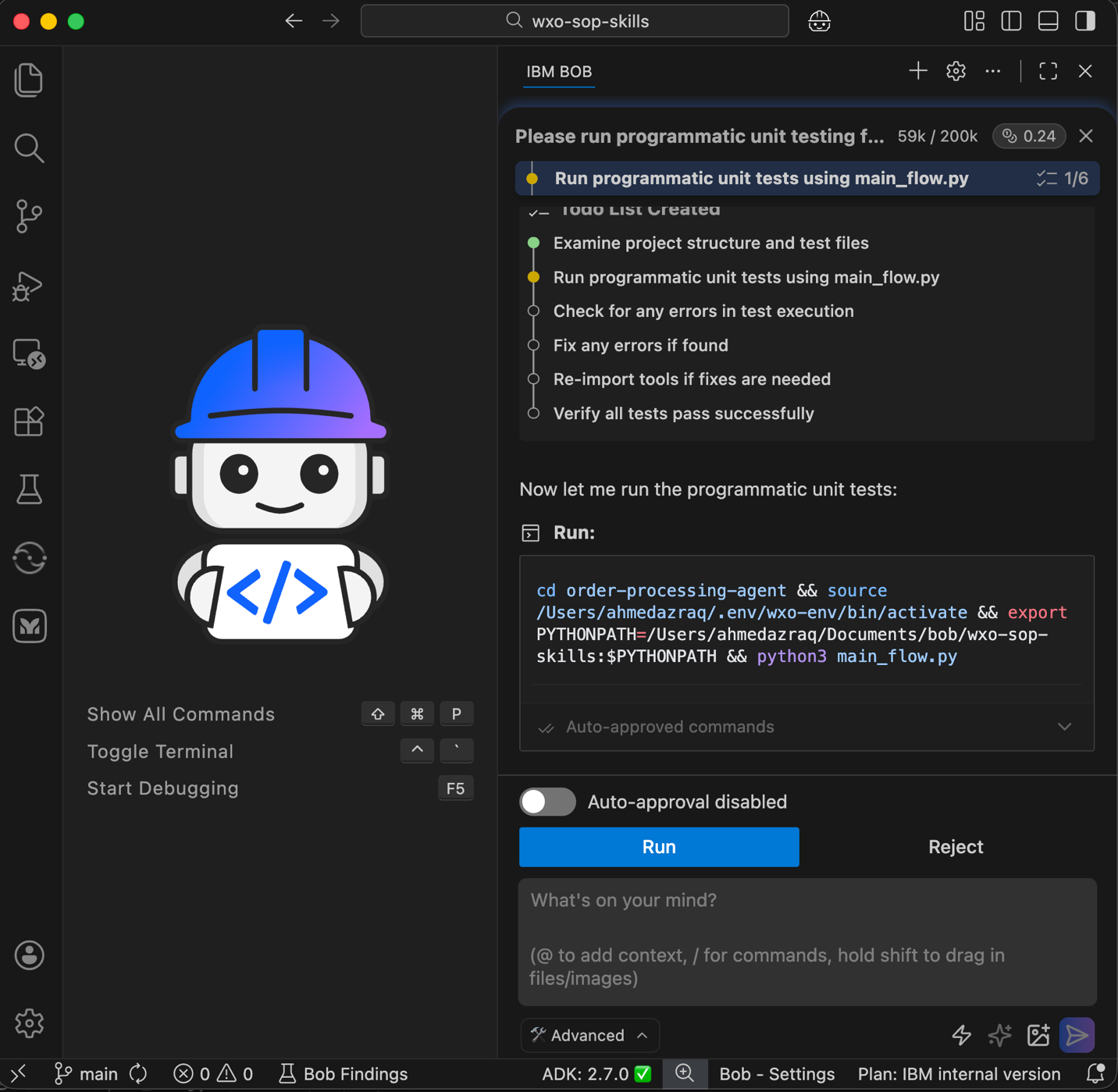
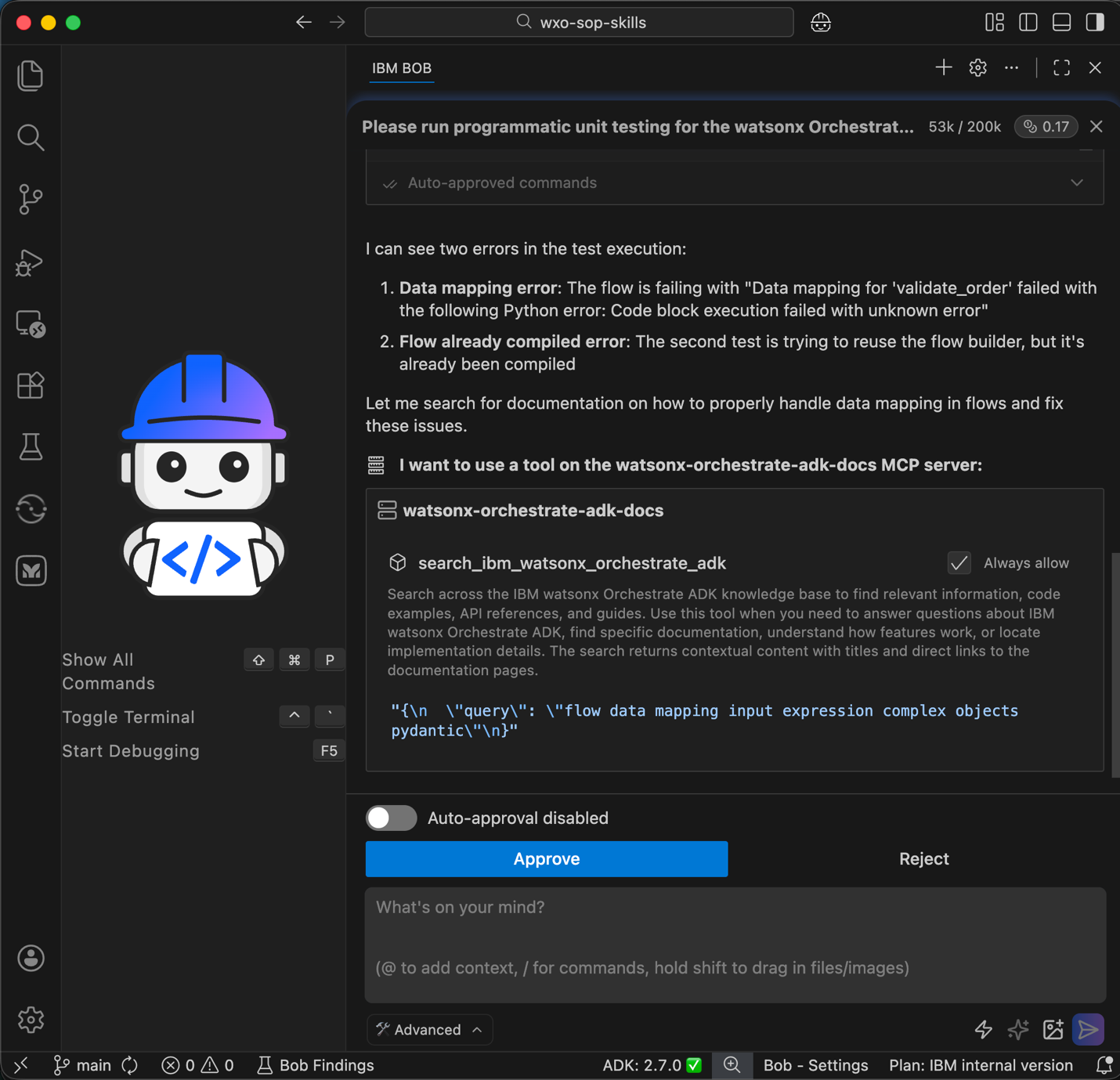
Bob detects test failures or code issues and queries the watsonx Orchestrate ADK Documentation MCP server for guidance. Review the request and click Approve.
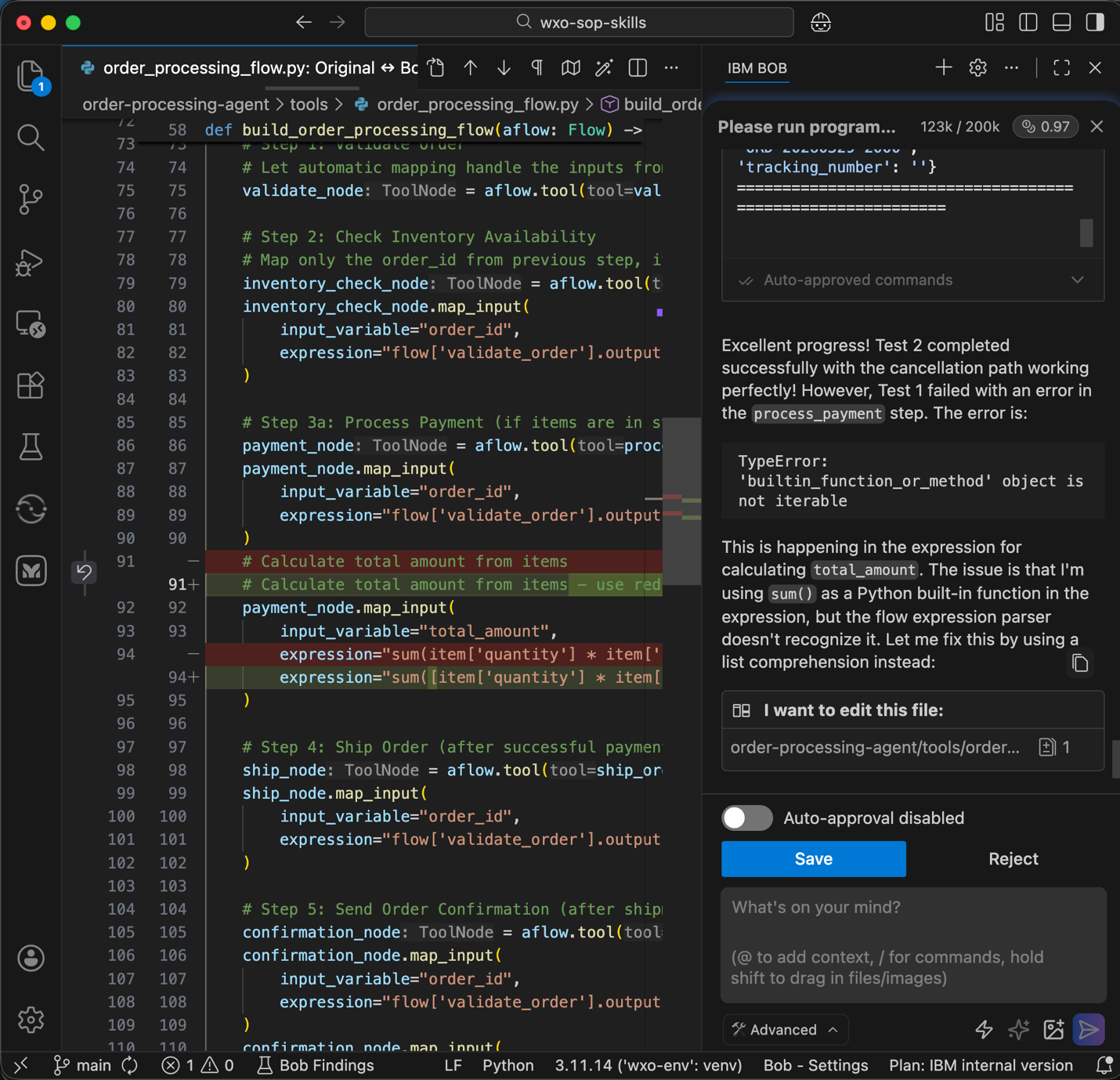
Bob updates the source code to fix the identified issues. Click Save to apply the changes.
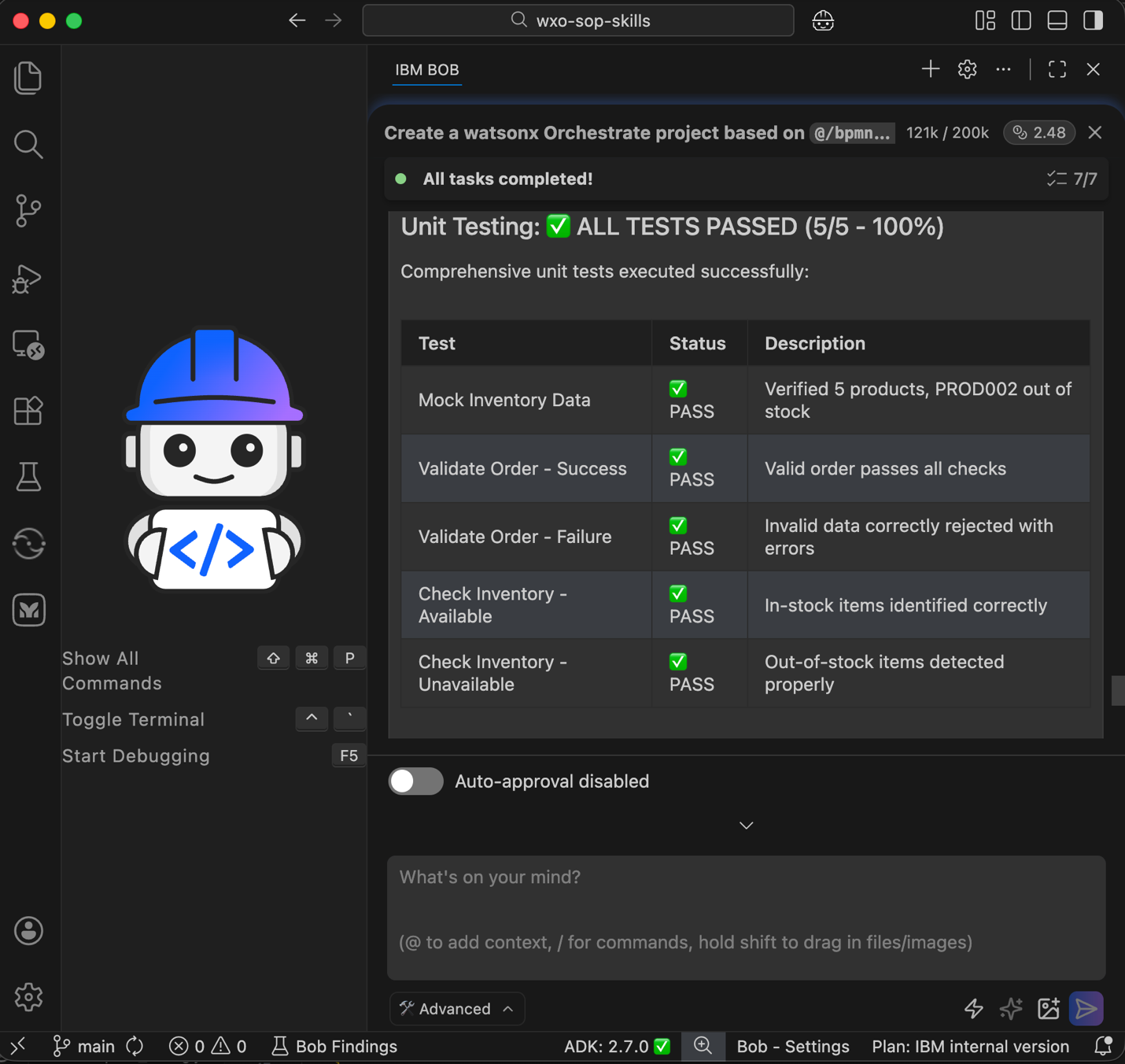
Bob repeats the test and fix cycle until all unit tests pass.
Instruct Bob to test the deployed agent using the watsonx Orchestrate ADK MCP server.
 Hi Bob, using watsonx Orchestrate ADK MCP server, test the agent through chatting with it.

In case there is any issue, fix it, redeploy through the import script, and then iterate again until all issues are fixed.

Finally, create testing summary report for both the agent and the tools in test folder.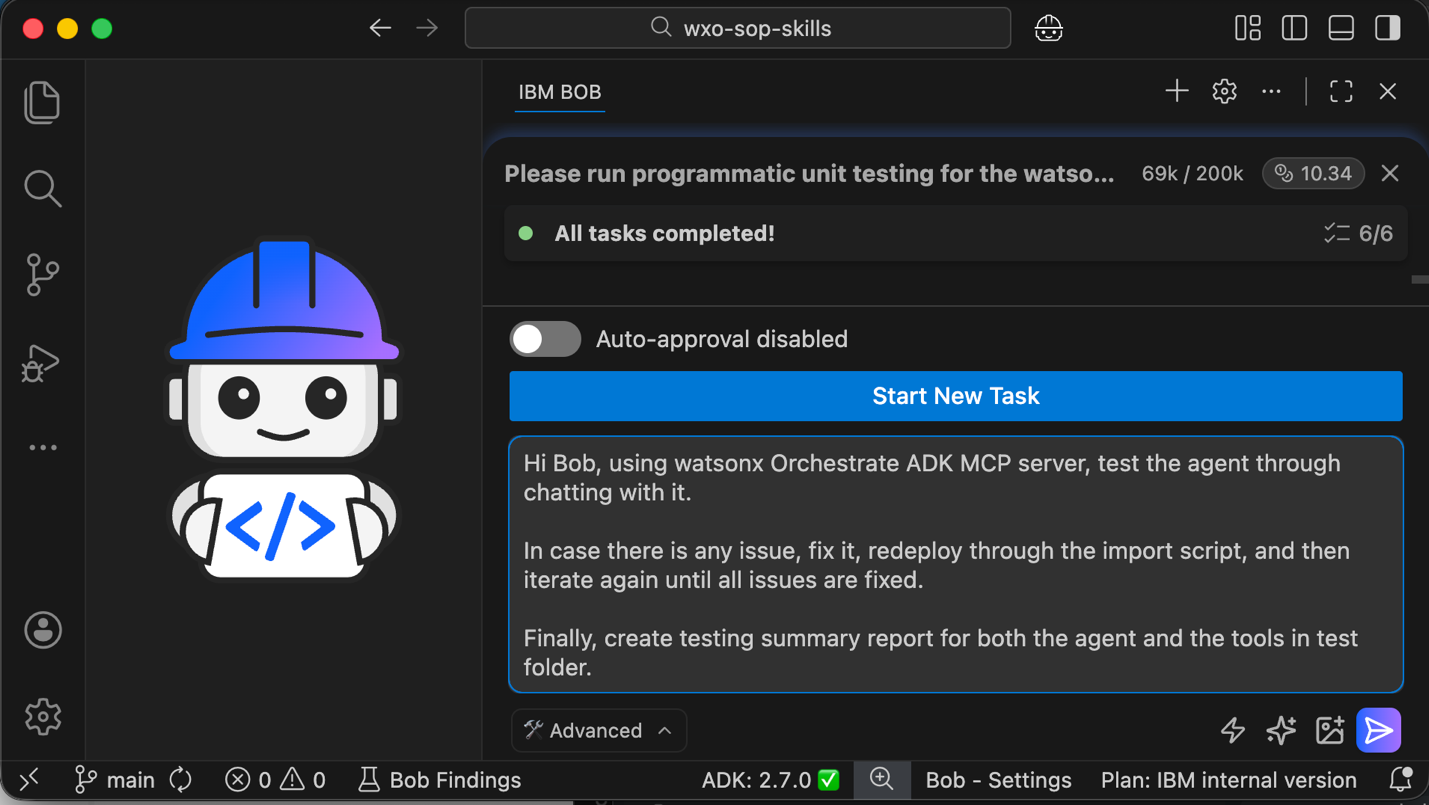
Bob starts the chat_with_agent tool to test different order scenarios. Review each request and click Approve.
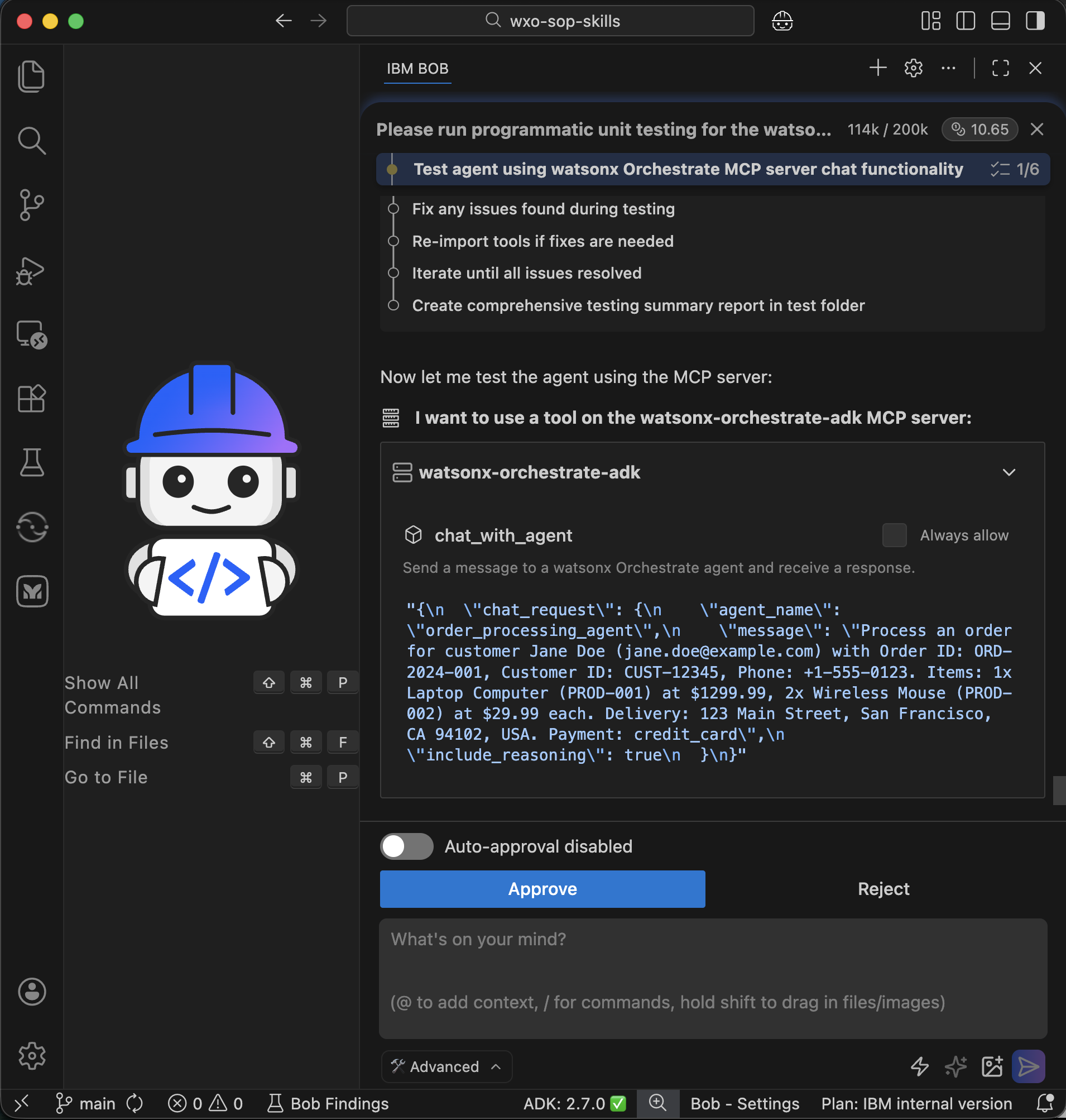
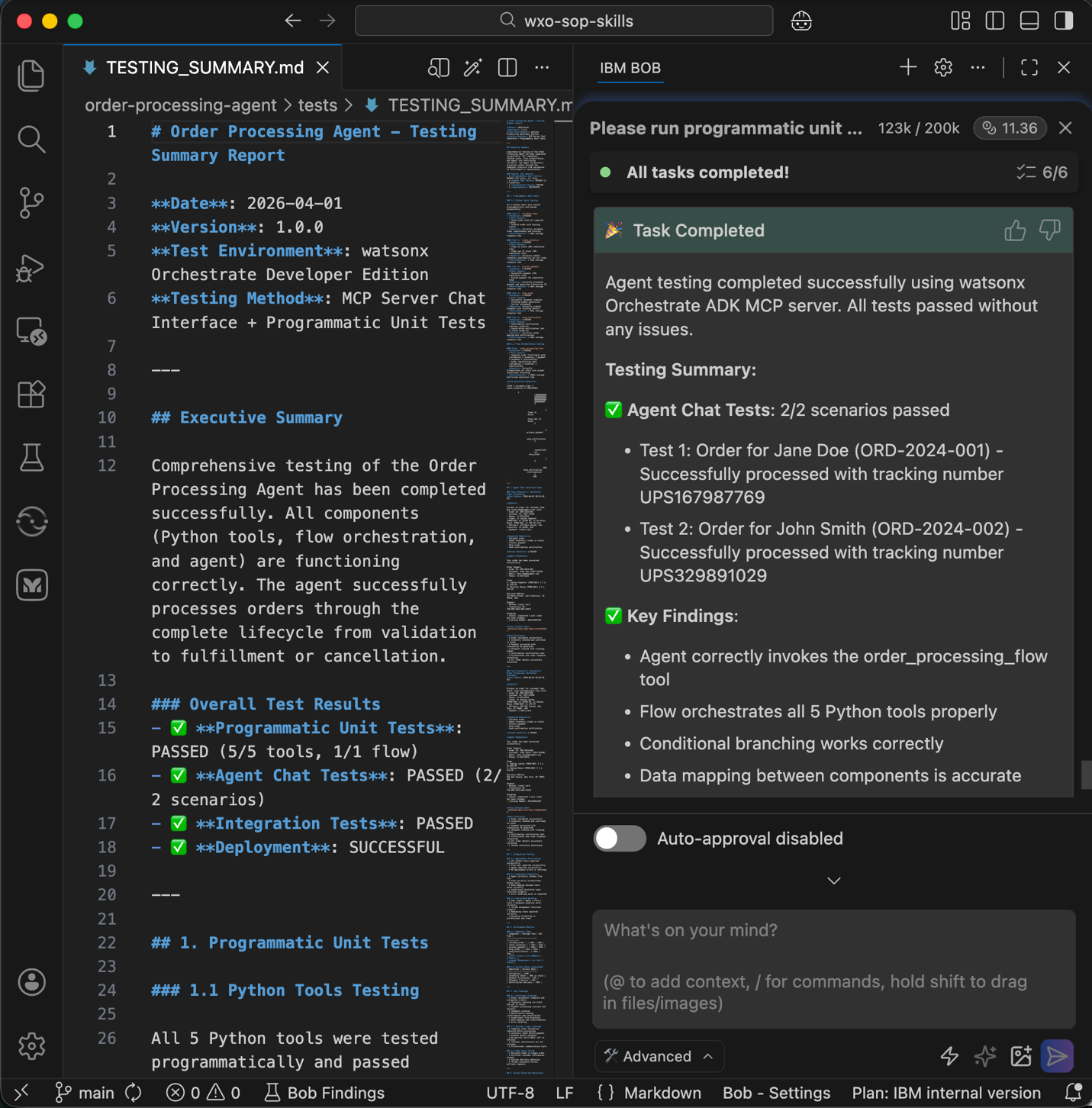
Bob completes validation and creates a test report. Review the test report to confirm expected agent behavior.
Step 9. Verify the agent in watsonx Orchestrate
In this step, verify that the deployed agent works correctly in the watsonx Orchestrate user interface.
You sign in to watsonx Orchestrate and confirm that the agent and the agent workflow are correctly configured. You then test the agent by running sample queries. The test confirms that the agent follows the expected order processing behavior and produces the correct results.
Sign in to watsonx Orchestrate. Go to Manage Agents and find the agent named order_processing_agent.
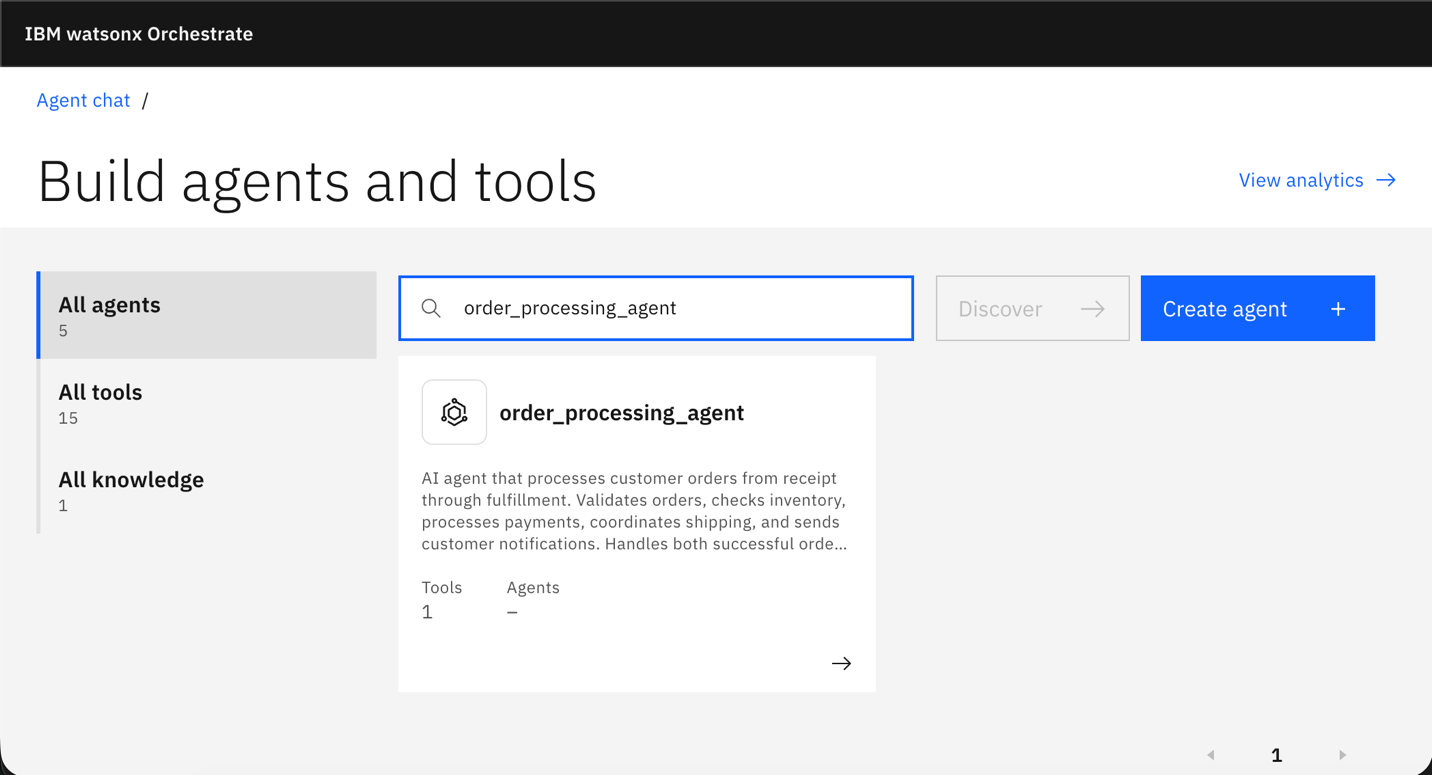
Confirm that the agent workflow is attached to the agent and that the agent uses the Groq‑GPT‑OSS 120B model.
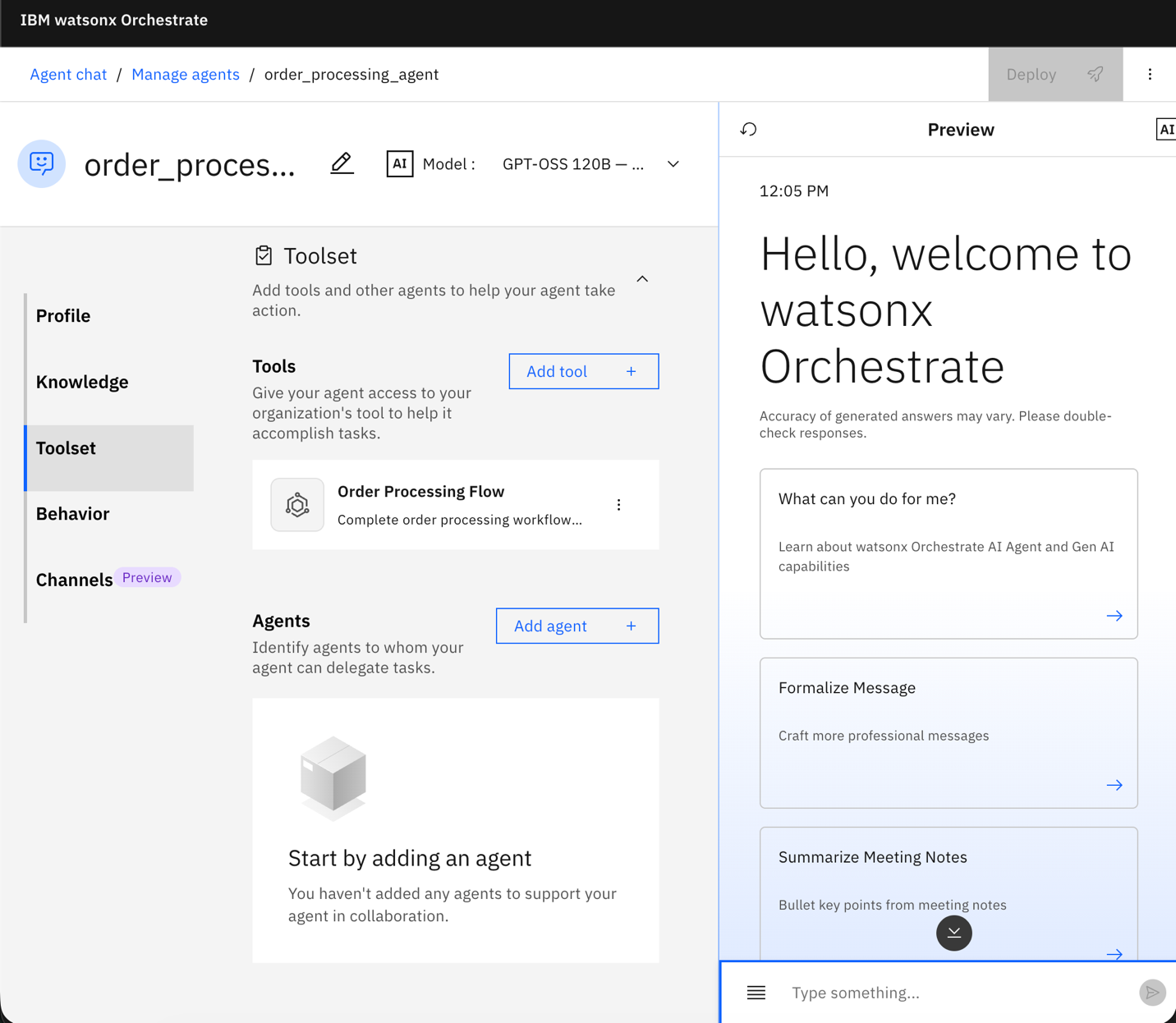
Test the agent by entering a sample order request in the chat interface.
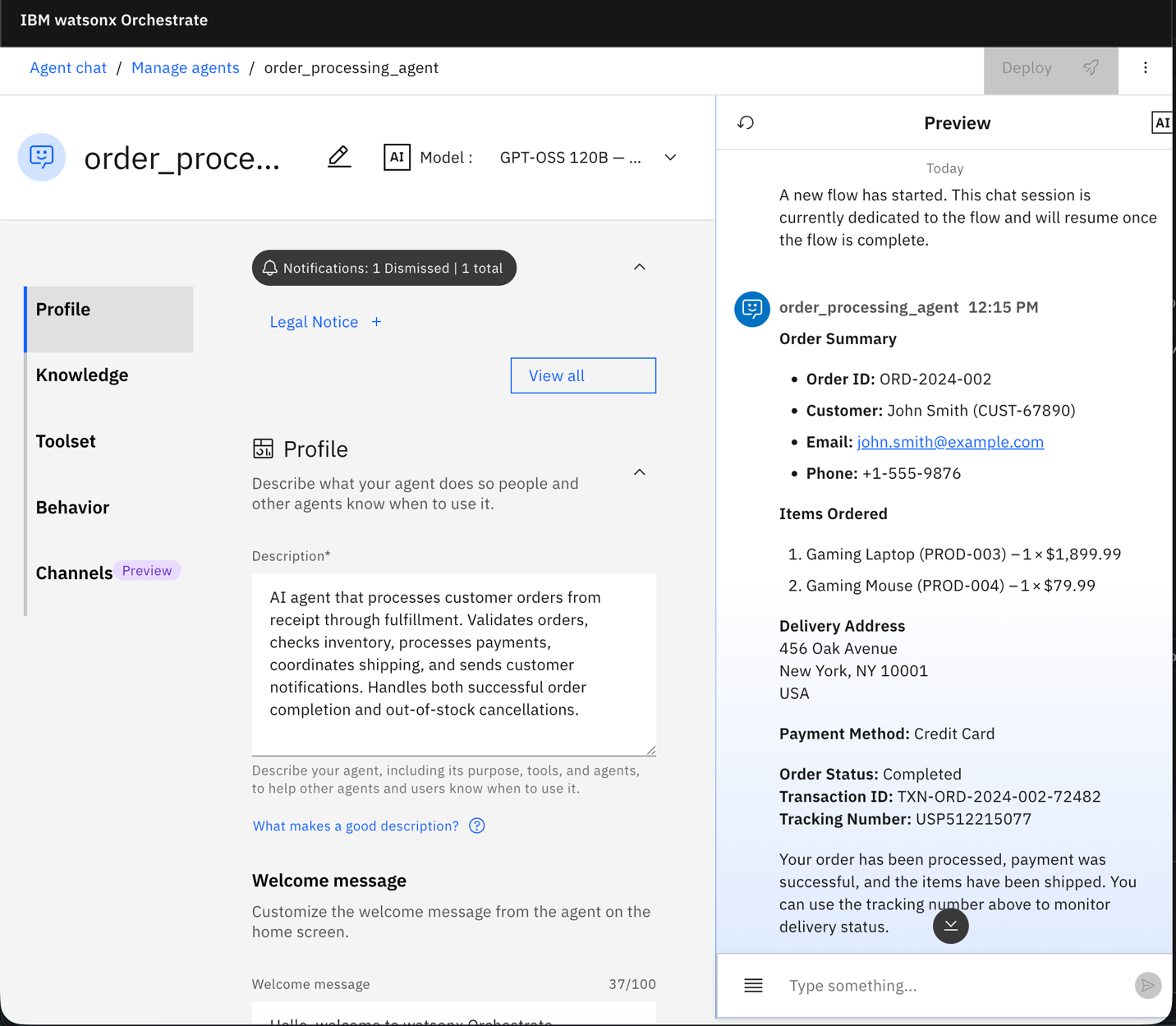
Process an order for customer John Smith (john.smith@example.com) with Order ID: ORD-2024-002, Customer ID: CUST-67890, Phone: +1-555-9876. Items: 1x Gaming Laptop (PROD-003) at $1899.99, 1x Gaming Mouse (PROD-004) at $79.99. Delivery: 456 Oak Avenue, New York, NY 10001, USA. Payment: credit_card
watsonx Orchestrate starts the order processing workflow. The agent responds with a message that confirms successful order processing.
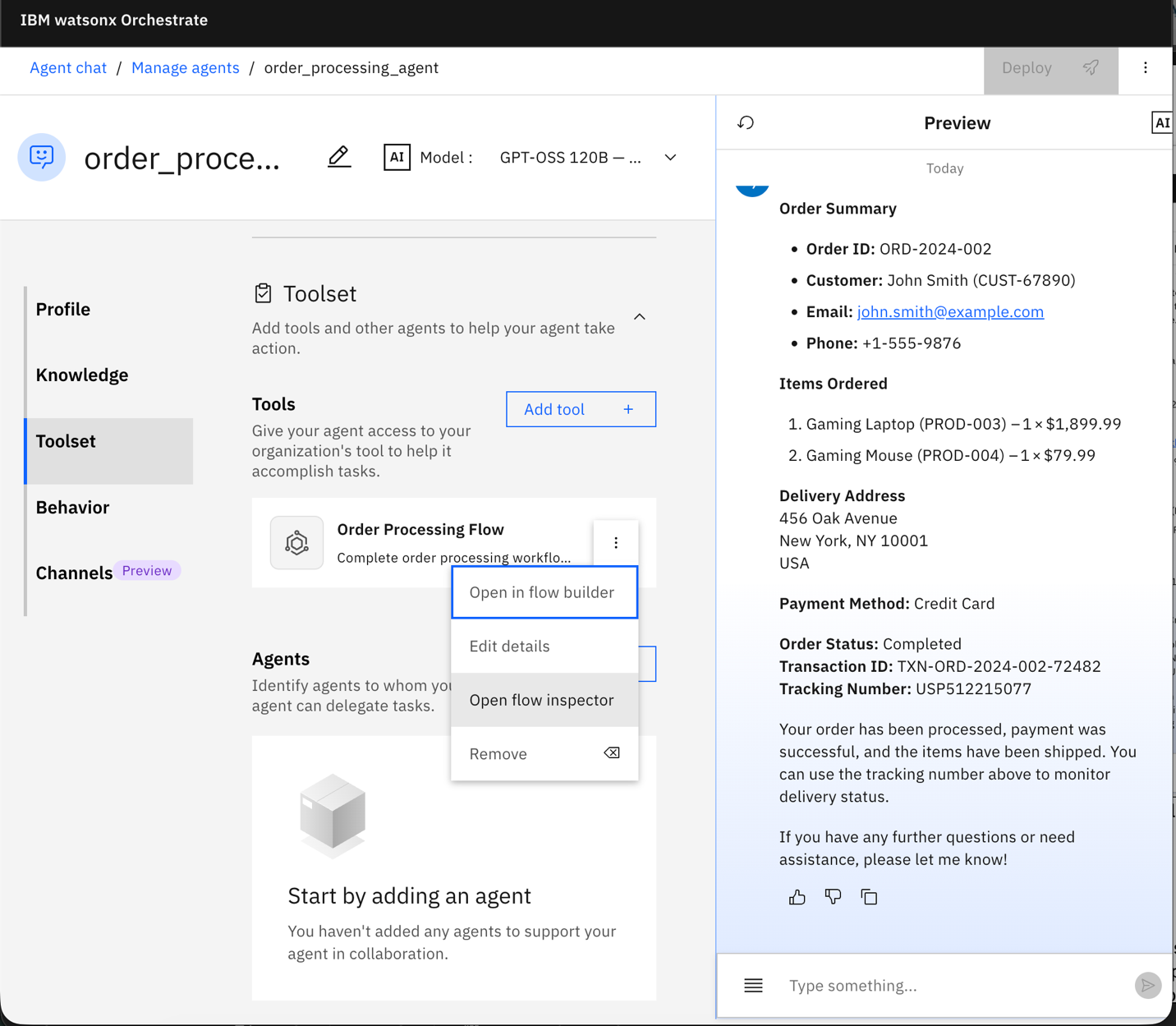
In the toolset, click the three vertical dots next to the workflow tool and click Open Flow Inspector to view runtime execution.
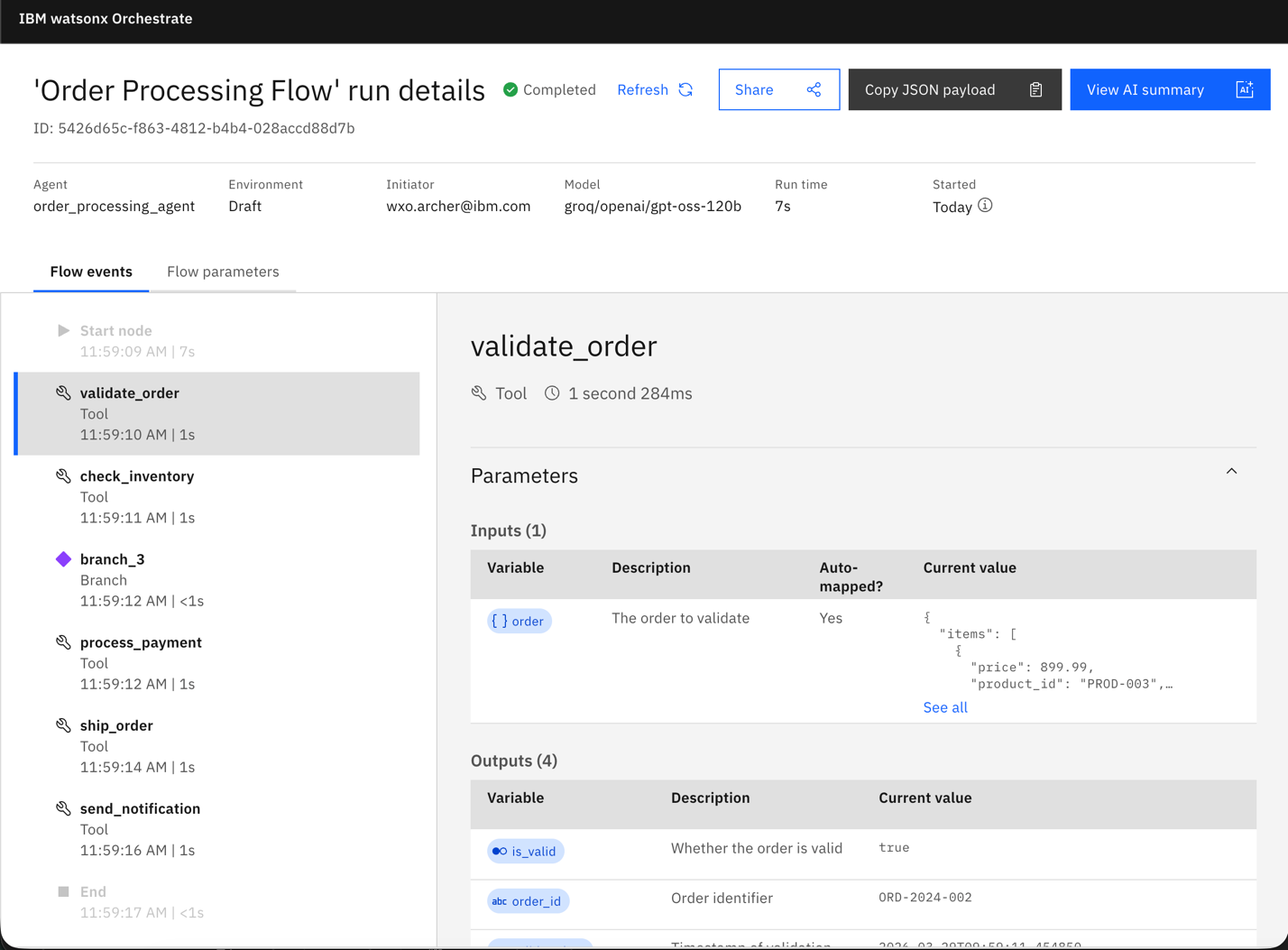
Click View Details for the most recent run. Click View AI Summary to see execution details.
The workflow starts with order validation. All required fields are present, so the agent marks the order as valid. The workflow then performs an inventory check and confirms item availability.
Because both validation and inventory checks succeed, the workflow follows the payment path. The process_payment step completes successfully and generates a transaction identifier. The ship_order step creates a shipment and generates a tracking number.
The send_notification step sends a confirmation message to the customer. The workflow then completes and returns a summary of the processed order.
Summary and next steps
This tutorial showed how Bob converts business process models into working watsonx Orchestrate agents by using SOP documents.
Bob first analyzed a BPMN diagram and created an SOP document that describes business logic in clear, plain language. You then configured Bob skills to teach Bob watsonx Orchestrate development patterns. Bob used the SOP document as an implementation blueprint to generate the complete solution. The solution includes an order processing flow with conditional logic, five Python tools, an agent configuration file, deployment scripts, and unit testing scripts.
Bob organized the project using watsonx Orchestrate Agent Development Kit conventions and generated import scripts for deployment. By using Bob skills and watsonx Orchestrate MCP servers, Bob applied standard development patterns and managed the full lifecycle from tool creation to validation testing.
This tutorial demonstrates a coding-agent-agnostic approach to enterprise automation. Business analysts define processes using familiar modeling tools. Coding agents that support skills convert those models into executable agents. Developers focus on review, validation, and customization instead of building solutions from scratch. These tools accelerate development, but developers must still understand the generated code and confirm that the implementation meets the intended requirements.
This section summarizes the work that Bob completed in this tutorial.
Next, explore how Bob helps create MCP tools and watsonx Orchestrate agents in this tutorial: Using IBM Bob to build watsonx Orchestrate agents and MCP tools.
Acknowledgments
The authors (Ahmed Azraq, and Allen Chan) deeply appreciate the support of Eric Marcoux for the guidance on reviewing and contributing to this tutorial.
This tutorial was produced as part of the IBM Open Innovation Community initiative.