Tutorial
Enable encryption on IBM AIX boot logical volumes (LVs)
Protect critical boot LV content against unauthorized accessObjective
The objective of this tutorial is to explain the feasible methods to enable encryption on IBM AIX boot logical volumes (LVs), with the goal of securing the early stages of the system boot process. The objective is to ensure that the contents of critical boot LVs such as hd1, hd2, hd3, hd4, hd6, hd9var, hd10opt, hd11admin, dumplv, livedump, and so on are protected against unauthorized access, tampering, and data exposure, while maintaining system bootability and operational reliability.
What are boot LVs in AIX?
In AIX, boot logical volumes are special logical volumes that contain the components necessary to boot the system. These are typically part of the root volume group (rootvg) and are created automatically during OS installation or when you run commands, such as bosboot.
The boot LVs that are currently supported for encryption are: hd1, hd2, hd3, hd4, hd6, hd9var, hd10opt, hd11admin.dumplv, and livedump.
The boot device, hd5, is not supported for encryption.
Platform KeyStore keys
In IBM Power and IBM AIX environments, Platform KeyStore (PKS) refers to a secure firmware-managed key storage mechanism that is tightly integrated with the system's hardware security features. To securely store and manage cryptographic keys within the platform firmware, it is important to ensure that sensitive keys are used for boot-time decryption or data protection.
PKS enables secure handling of cryptographic keys, particularly for boot and disk encryption use cases.
Current restrictions and requirements
Before enabling encryption on an AIX virtual machine using Protected Key Secure (PKS), ensure the following restrictions and prerequisites are met.
Prerequisites:
- PKS should be supported and enabled on VM
- Minimum three free PKS slots should be available when using method 1 (the following sections describe the various methods to enable encryption)
Restrictions:
- Boot device (hd5) is not supported for encryption
- Active Paging space and active dump device can’t be encrypted/decrypted
Operating system:
- IBM AIX 7.3 or later
Method 1 – Enable encryption during prompt installation
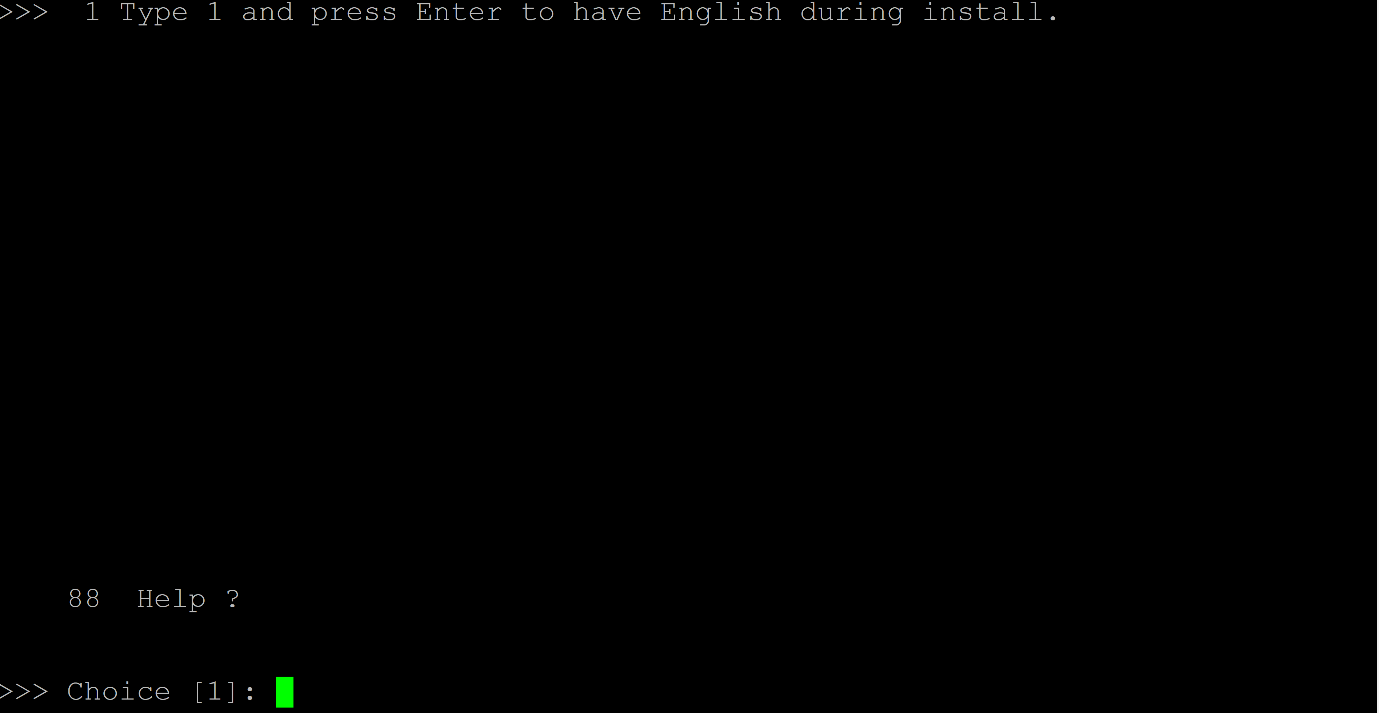
After entering the prompt mode, type 1 and press enter to proceed with installation in English.
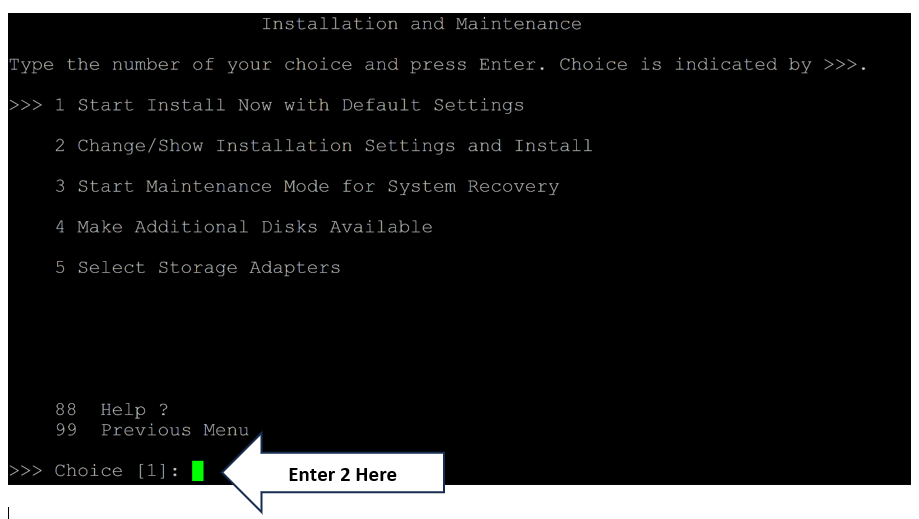
On the Installation and Maintenance screen, enter 2 to specify the Change/Show Installation Settings and Install option.
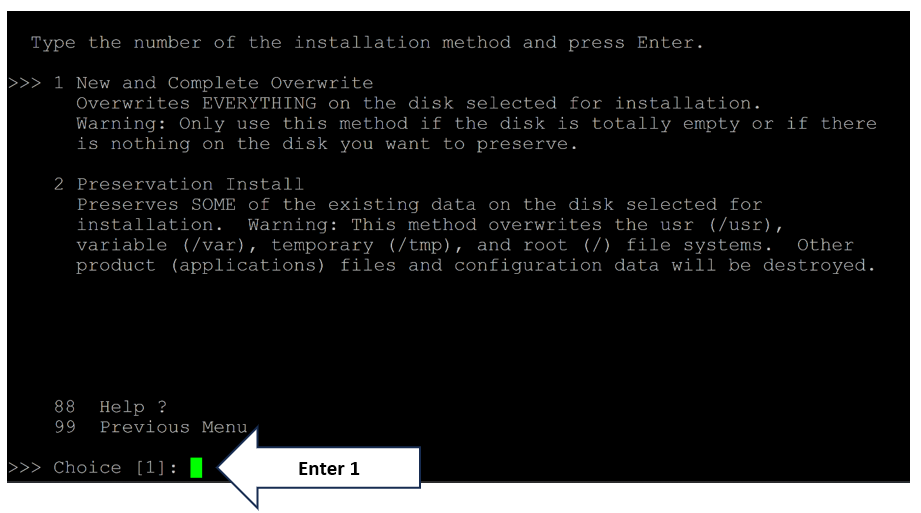
Enter 1 to specify the New and Complete Overwrite option.
Enter 3 to specify the Securtiy Model option.
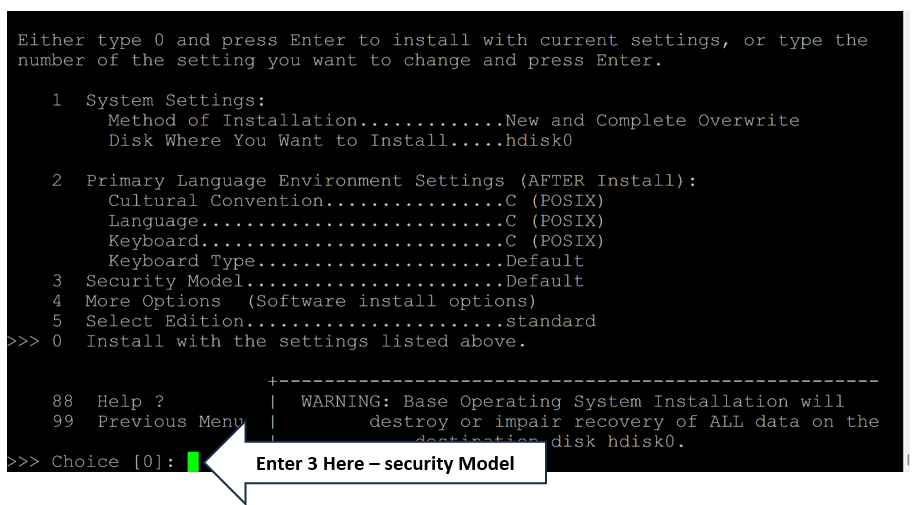
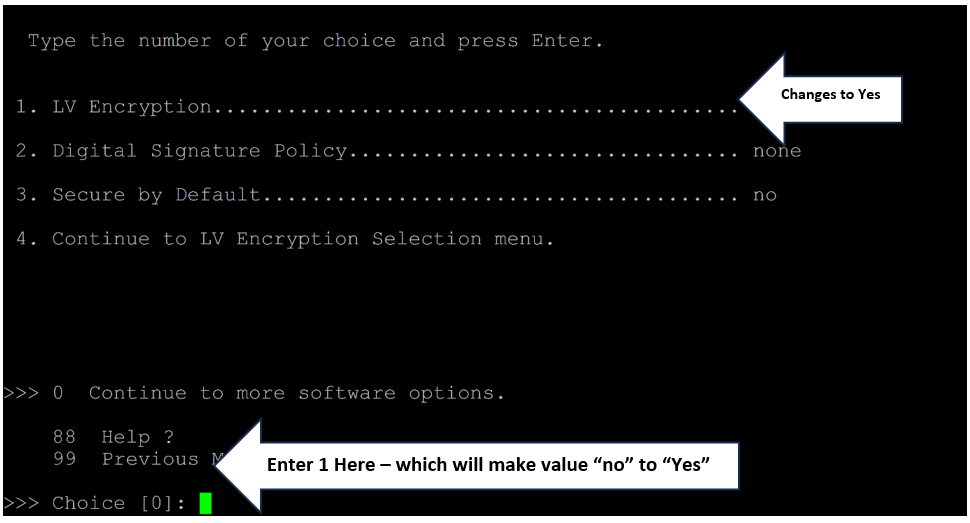
Enter 1 to specify the LV Encryption option and update it’s value from no to yes. This means that you are opting for the encryption method for boot LVs.
Select the particular boot LVS for which you want to enable encryption. After the selection is made, notice that the LV value changes from no to yes.
You can set the value to yes for all the boot LVs for which you want to enable encryption.
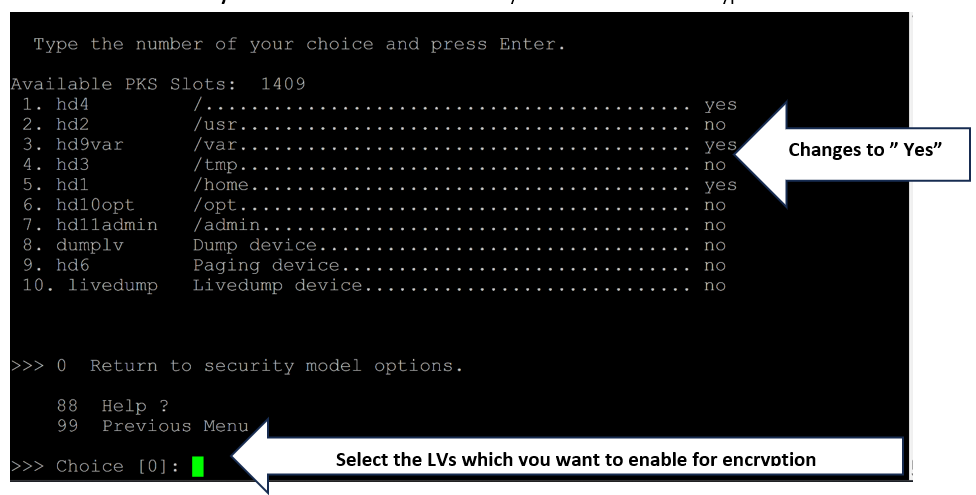
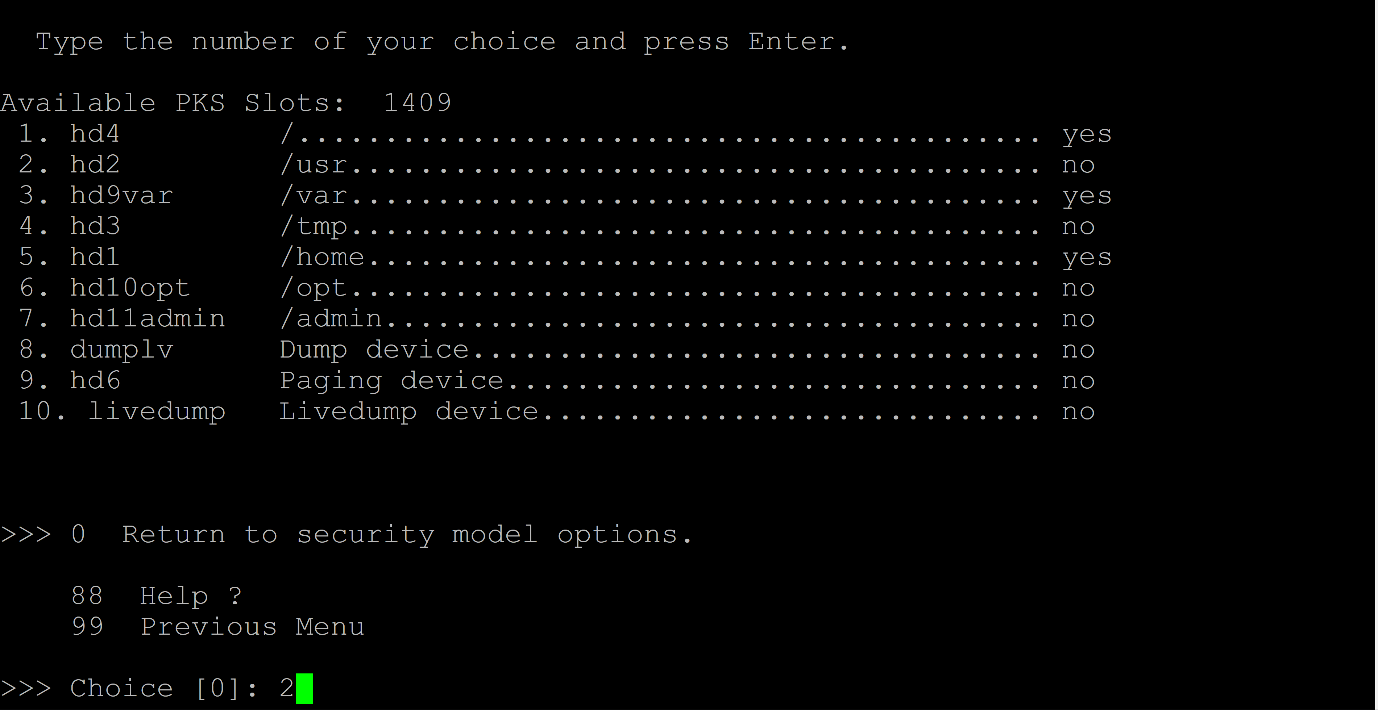
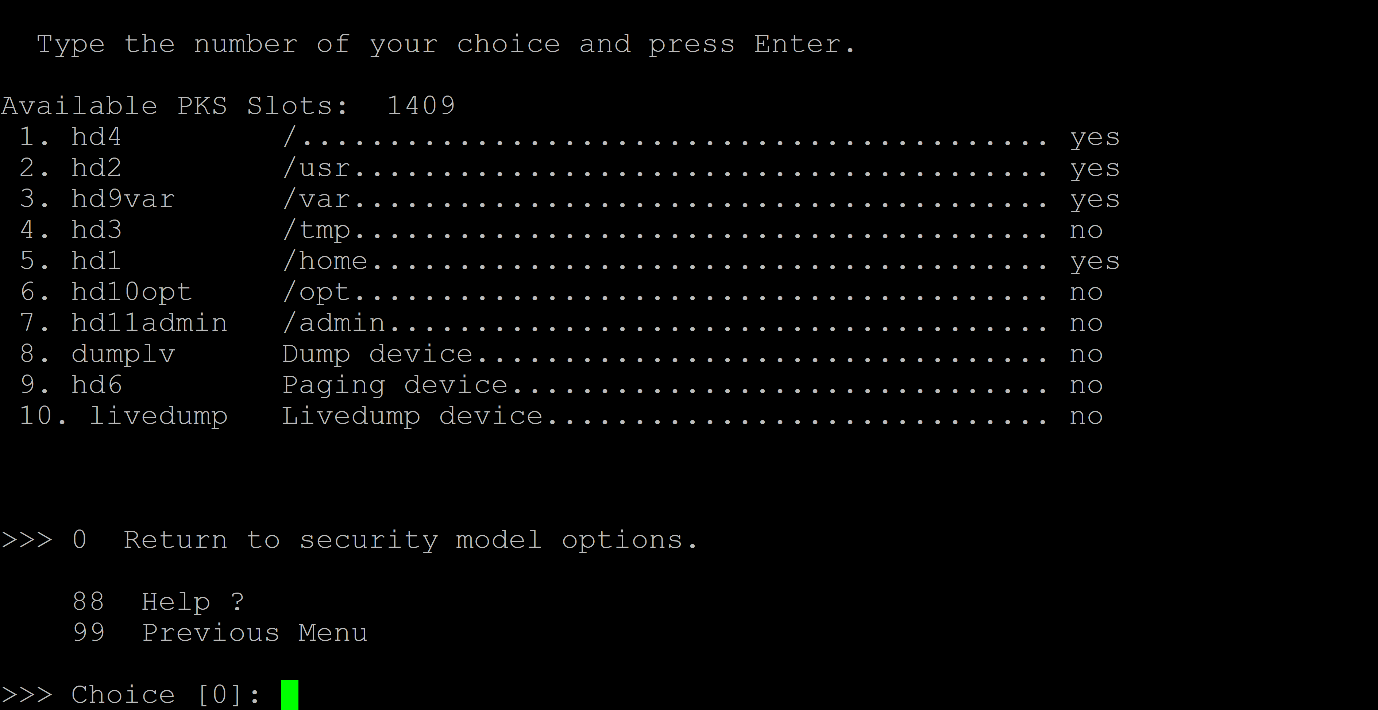
In this example, notice that the value is set to yes for all the boot LVs and thus encryption is enabled for all boot LVs.
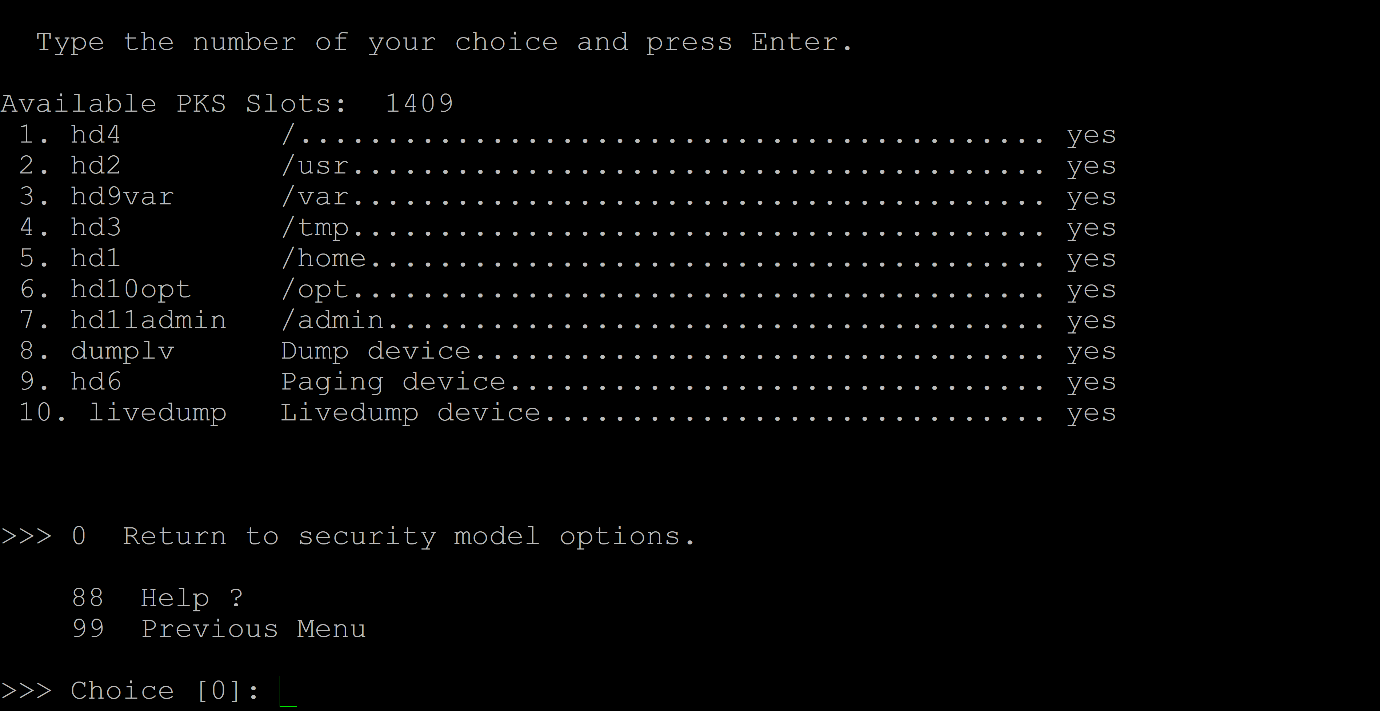
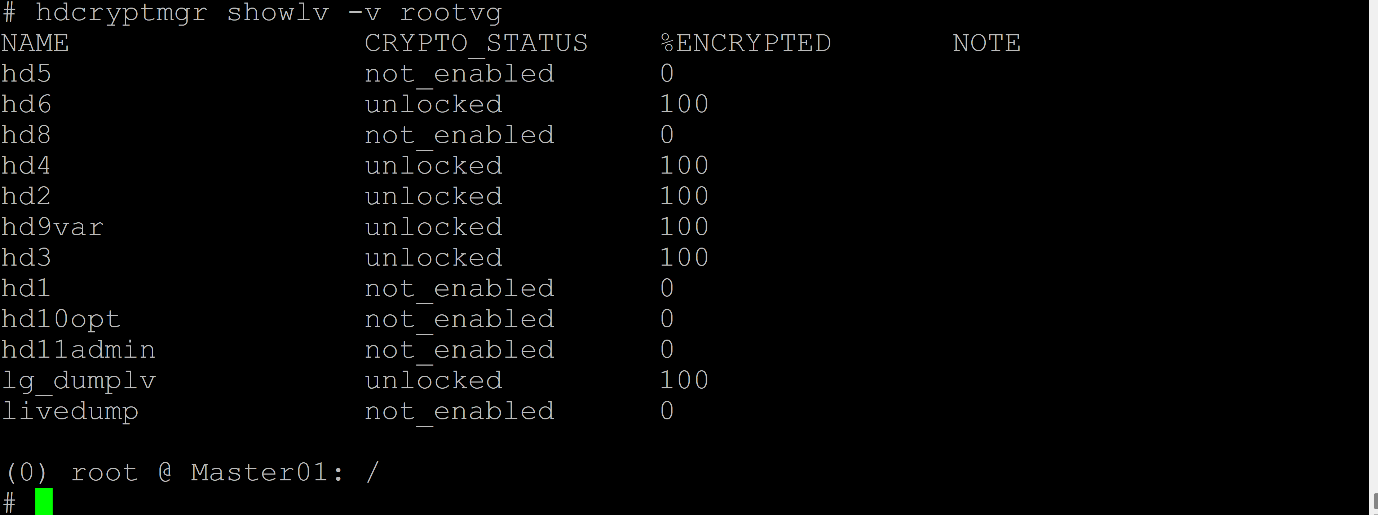
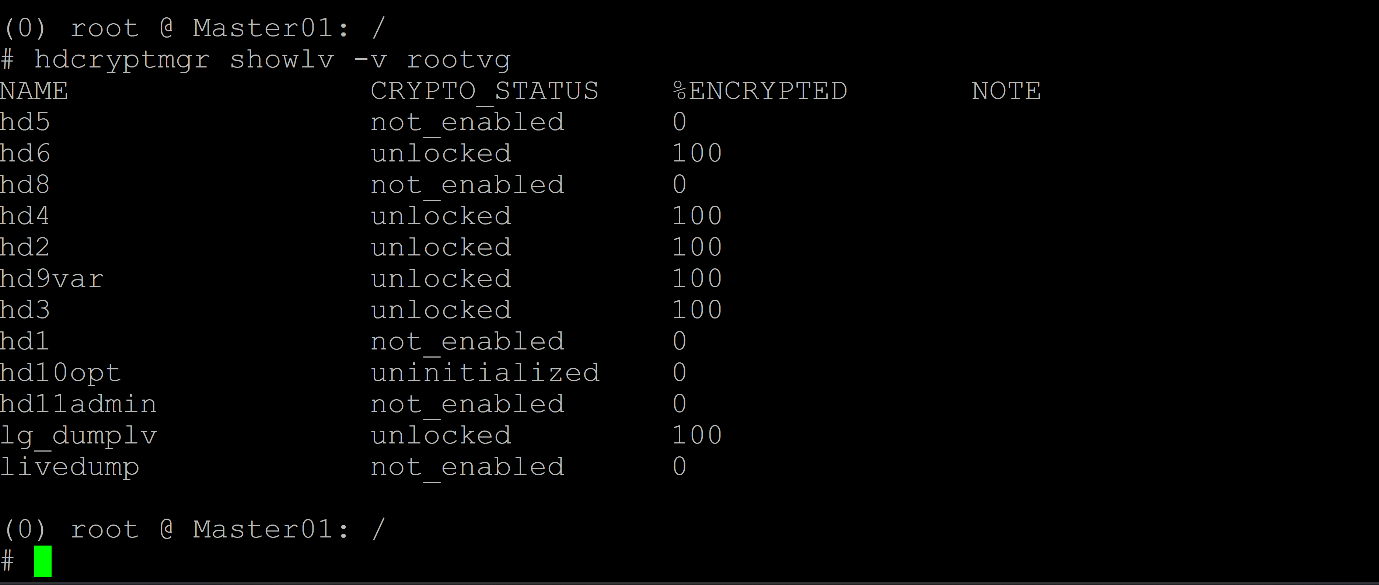
After the OS is installed, notice that the selected boot LVs are encrypted and unlocked with PKS auth only.
Use the
authsetrvgpwdoption withhdcryptmgrcommand to set passphrase for all the encryption enabled boot LVs.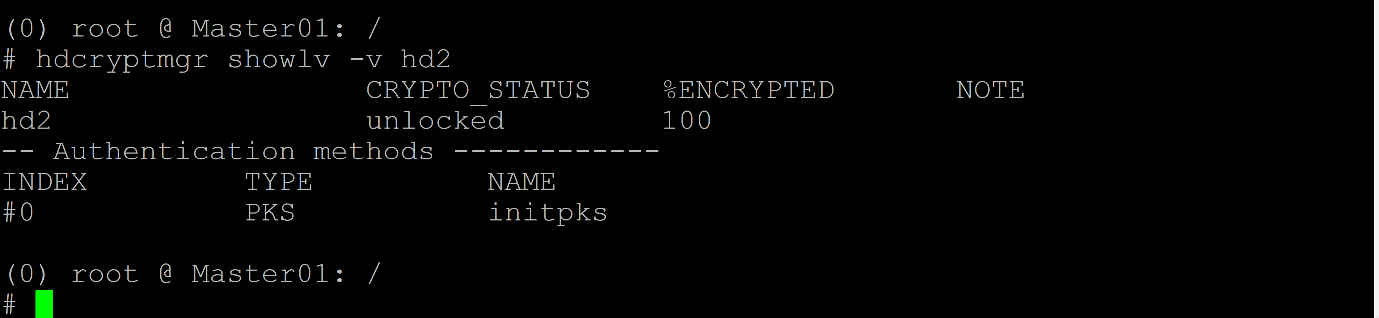
After running
autsetrvgpwd, notice that passphrase is added to the boot LVs .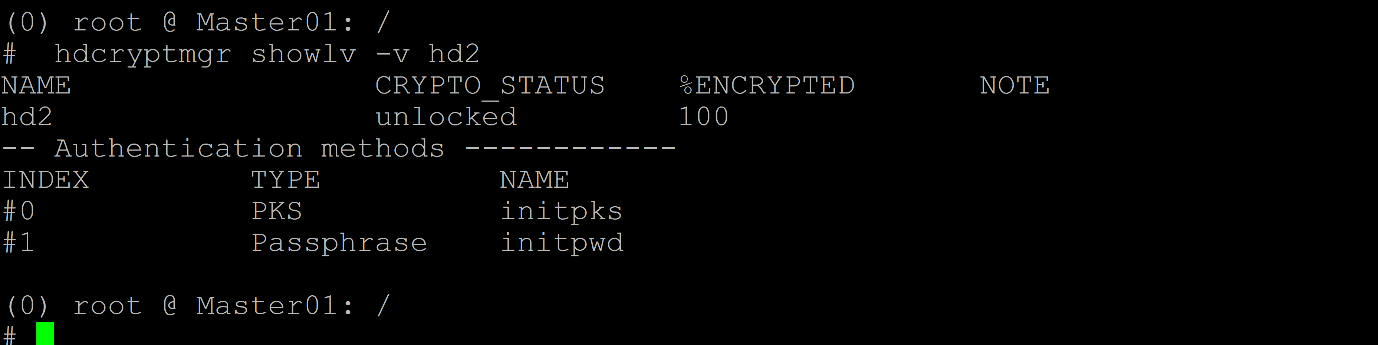
Method 2 – Enable encryption after installation (on active VM)
We can enable the boot LVs with encryption even after installing the AIX OS. The active dump device and active paging space device can’t be enabled for encryption. But we can deactivate the paging space and enable encryption and then activate the paging space.
Select the boot LV for which you want to enable encryption and then run the hdcryptmgr plain2crypt command for the boot LV.
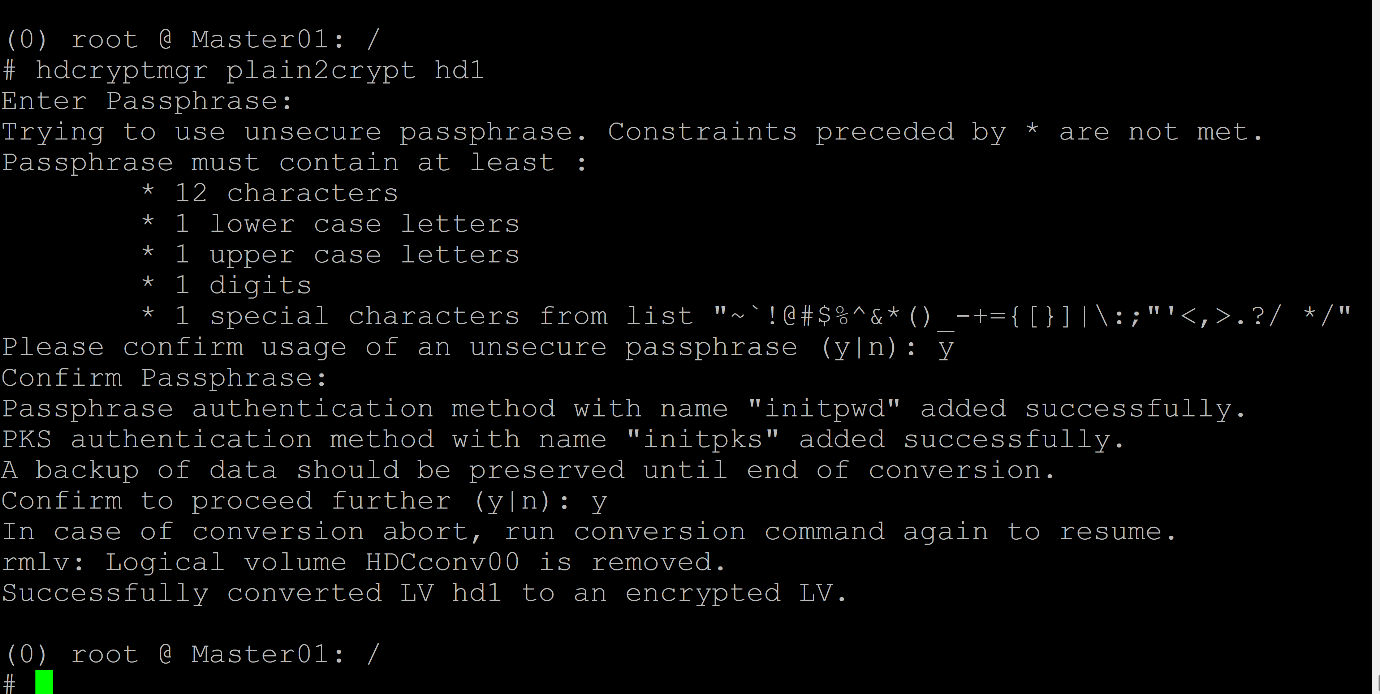
OR
Enable encryption on the selected bootlv using the chlv -k y <Lv> option and then initialize and run the plain2crypt option.
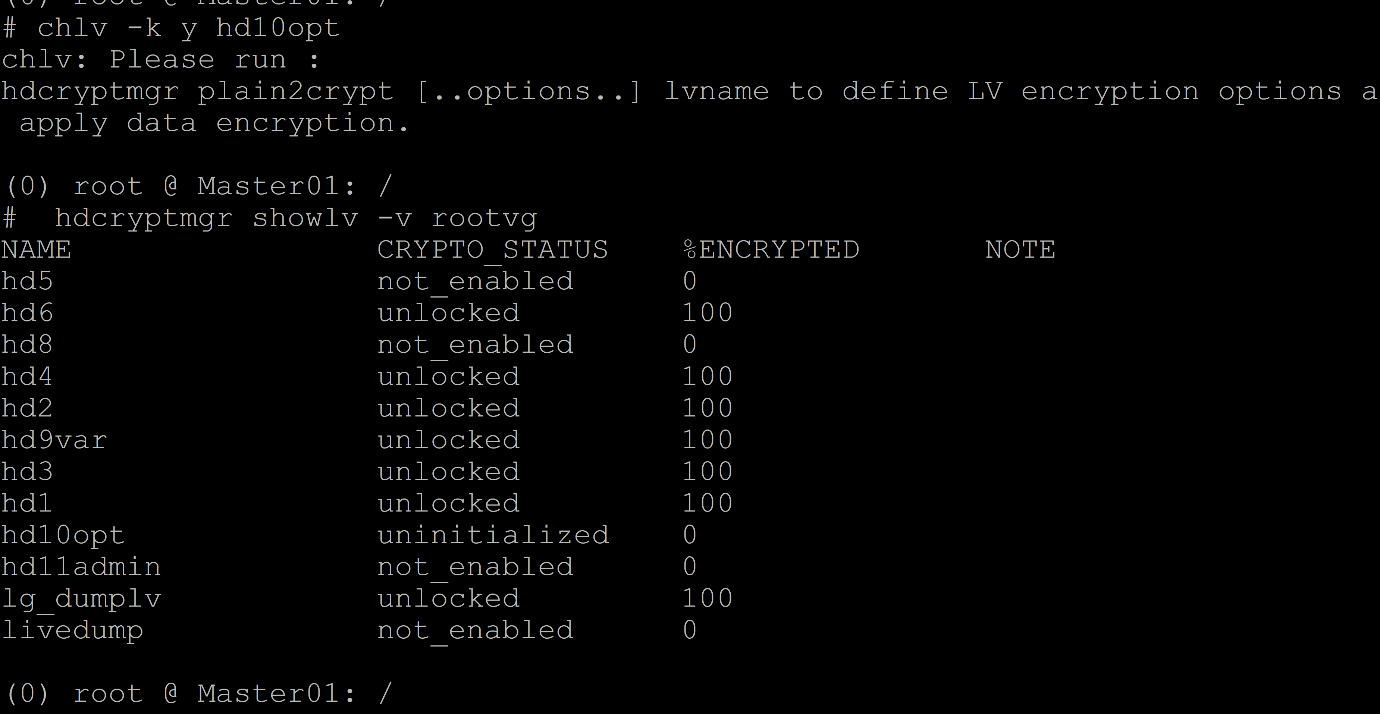
For an active paging space, notice that the following error is displayed.

If required, decrypt the encrypted boot LV using the crypt2plain command.
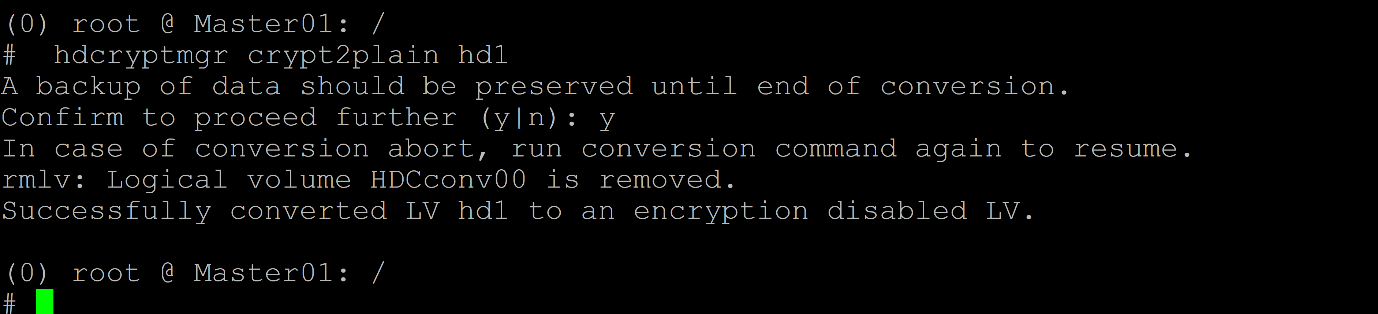
Defining the keystore size in the HMC
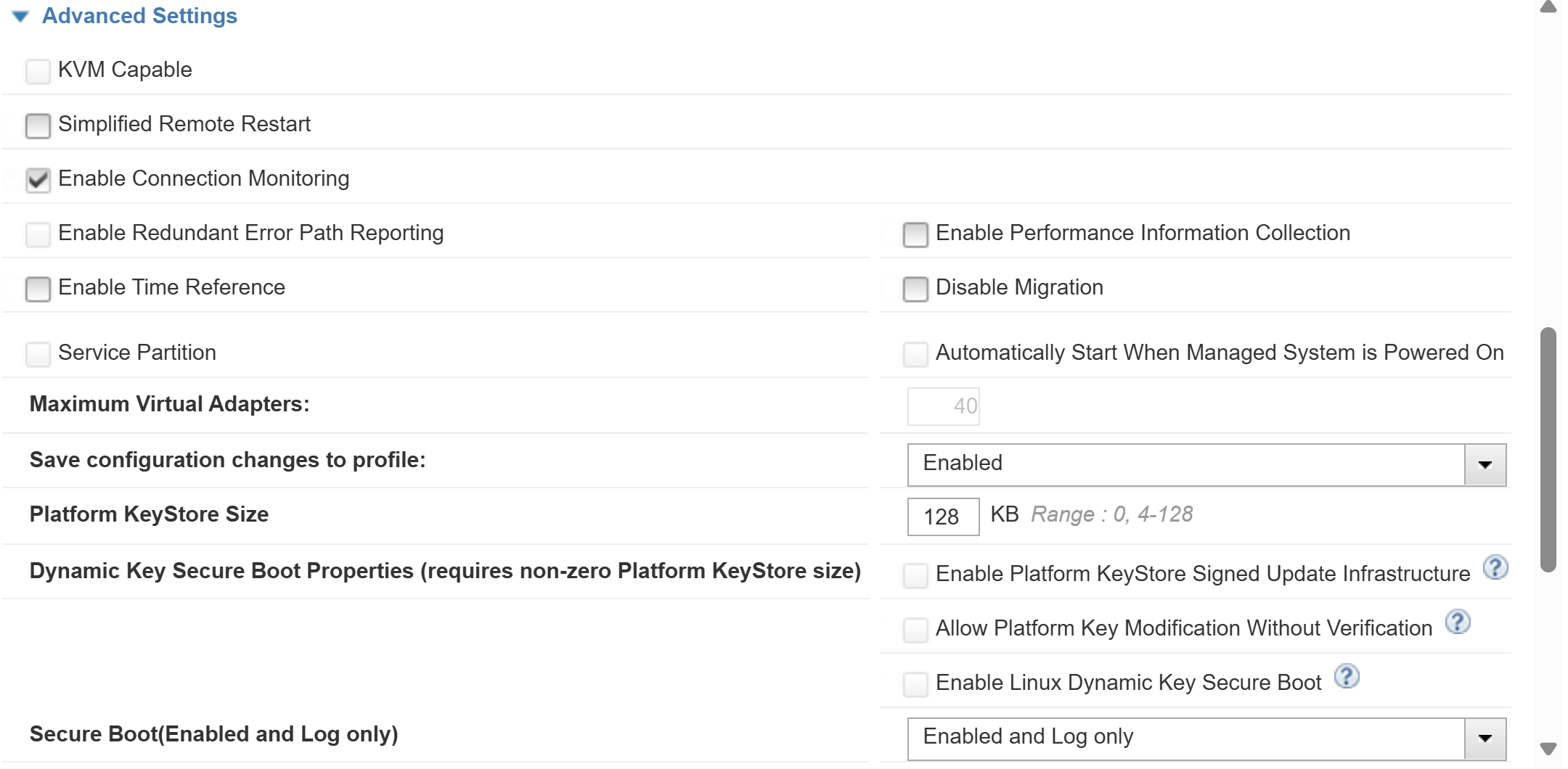
Before using PKS encryption on AIX VMs, a keystore must be defined and properly sized in the HMC. The keystore stores the cryptographic keys used for encryption and decryption operations known as PKS keys.
In the Advanced Settings section, notice that the value of Platform KeyStore Size option, shows the range as 4-128, indicating that you can allocate memory with that value in KB for the logical partition (LPAR).
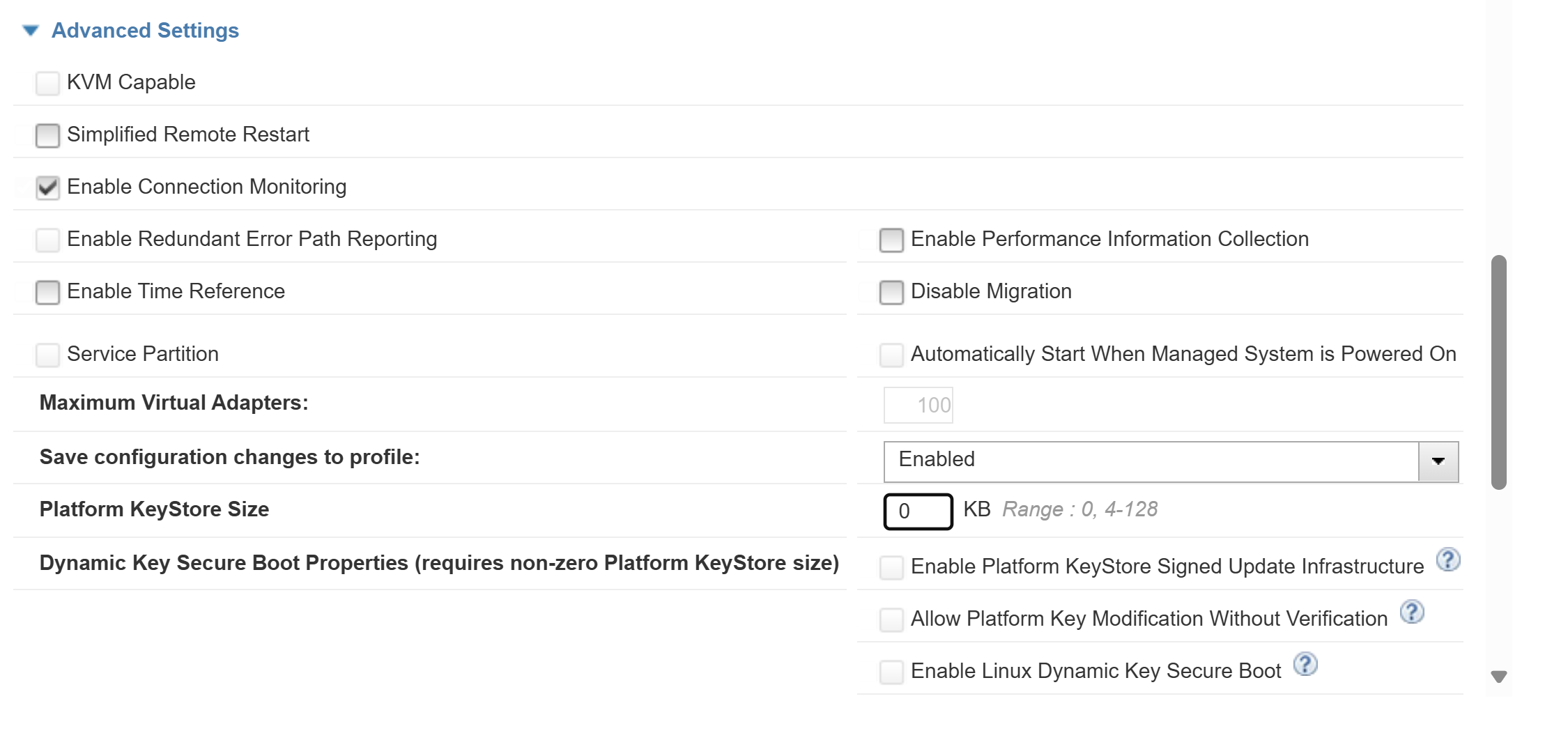
In the example, the size is specified as 128 KB